

Connect any MetaTrader 5 account through a small Expert Advisor in your own terminal: no password and no API key. Then build a bot that trades forex, gold and indices from your signals, with take profit, stop loss and a stop that steps up in points. Seven steps, no code.
Top forex brokers
If your broker offers a MetaTrader 5 account, the bot can trade it.


















Before you start
MetaTrader 5 connects through an Expert Advisor running in your own terminal. There is no API key, and your broker login never leaves your machine.

Demo or live, at any broker that offers MetaTrader 5, including cent accounts.

The desktop terminal on a computer or a VPS, open with the EA attached. The bot trades while it runs.

TradingView or MetaTrader alerts, Telegram, Discord, Copy Trader, or Pip, the AI Trade Agent.

No password and no API key: the EA signs in with a token that works for one account only.

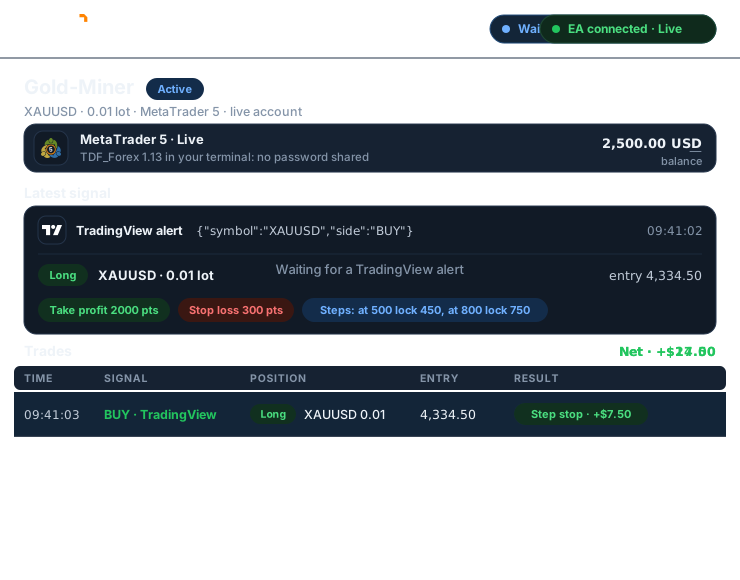
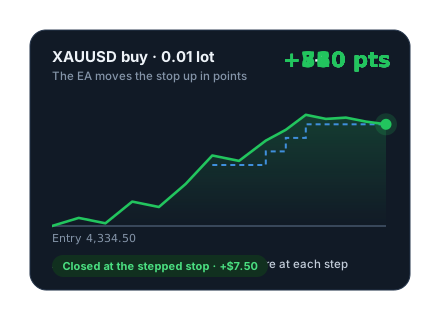
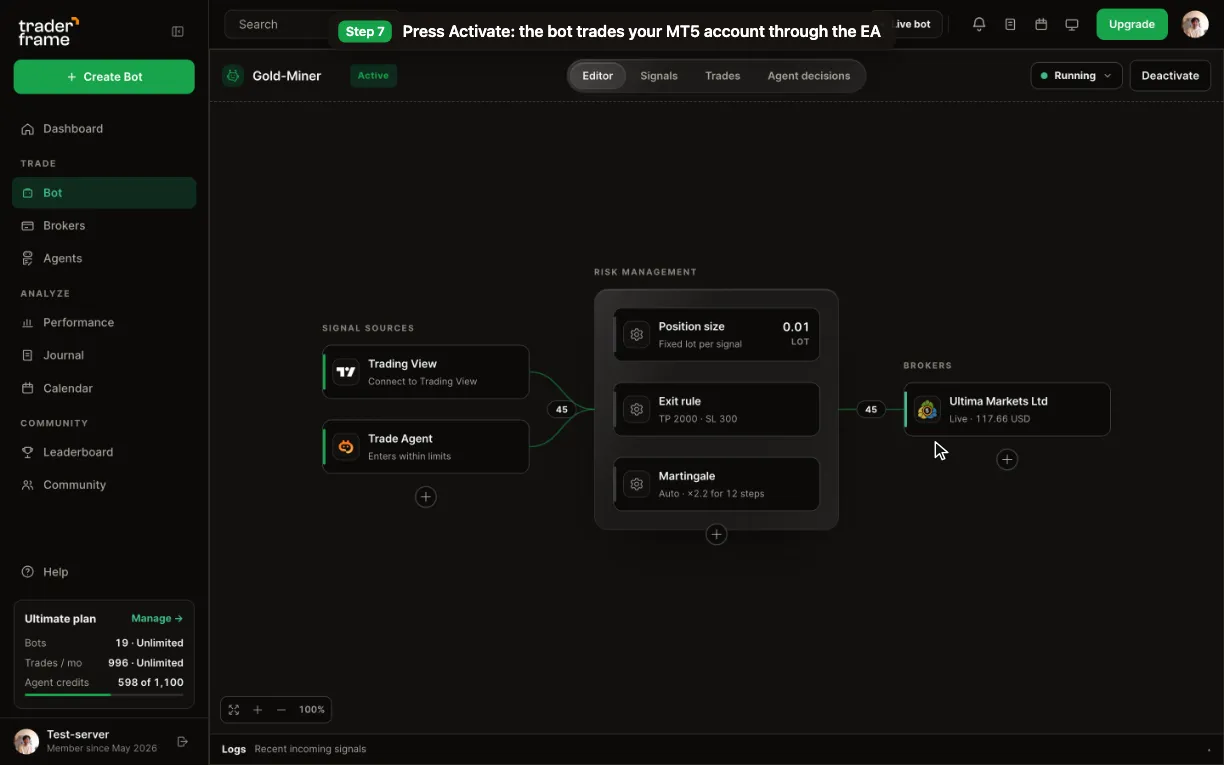
Your bot decides the lot size and the exits. The EA in your terminal places the order with its stop and target, and moves the stop up in steps.
Step by step
Steps 2 to 4 happen in MetaTrader 5, with the connect sheet open beside it. Demo and live accounts connect the same way.
Treat the token like a password. It works for one MT5 account only, and stays the same until you disconnect that account.
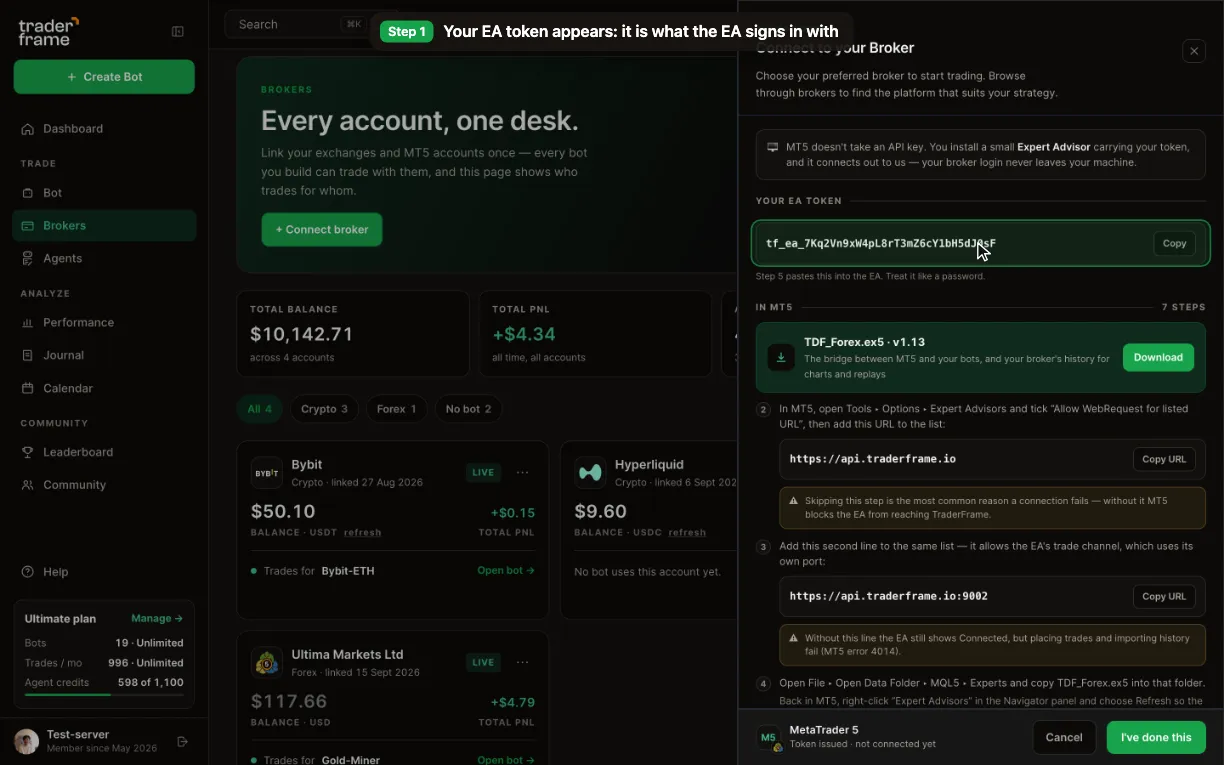
Without the first line MT5 blocks the EA from reaching Trader Frame. Without the second, the EA shows Connected but trades fail with error 4014.
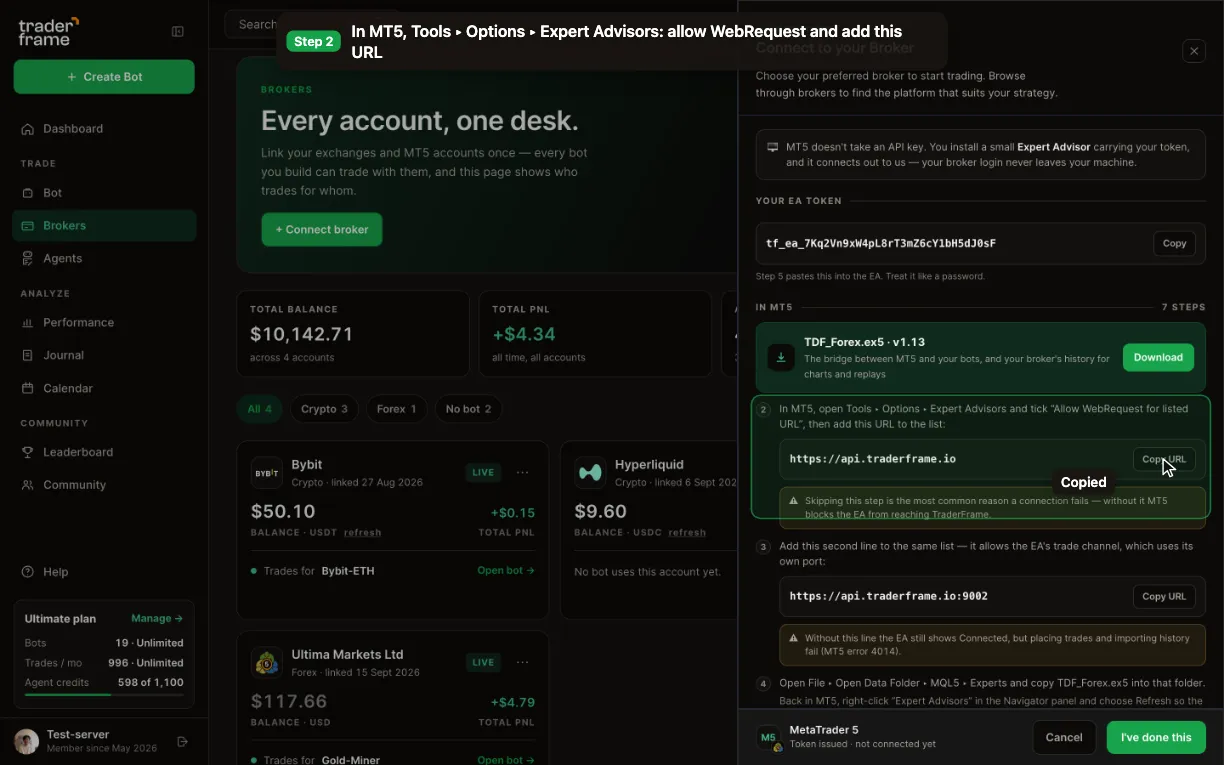
The chart and symbol don’t matter: from one chart, the EA manages every trade on the account.
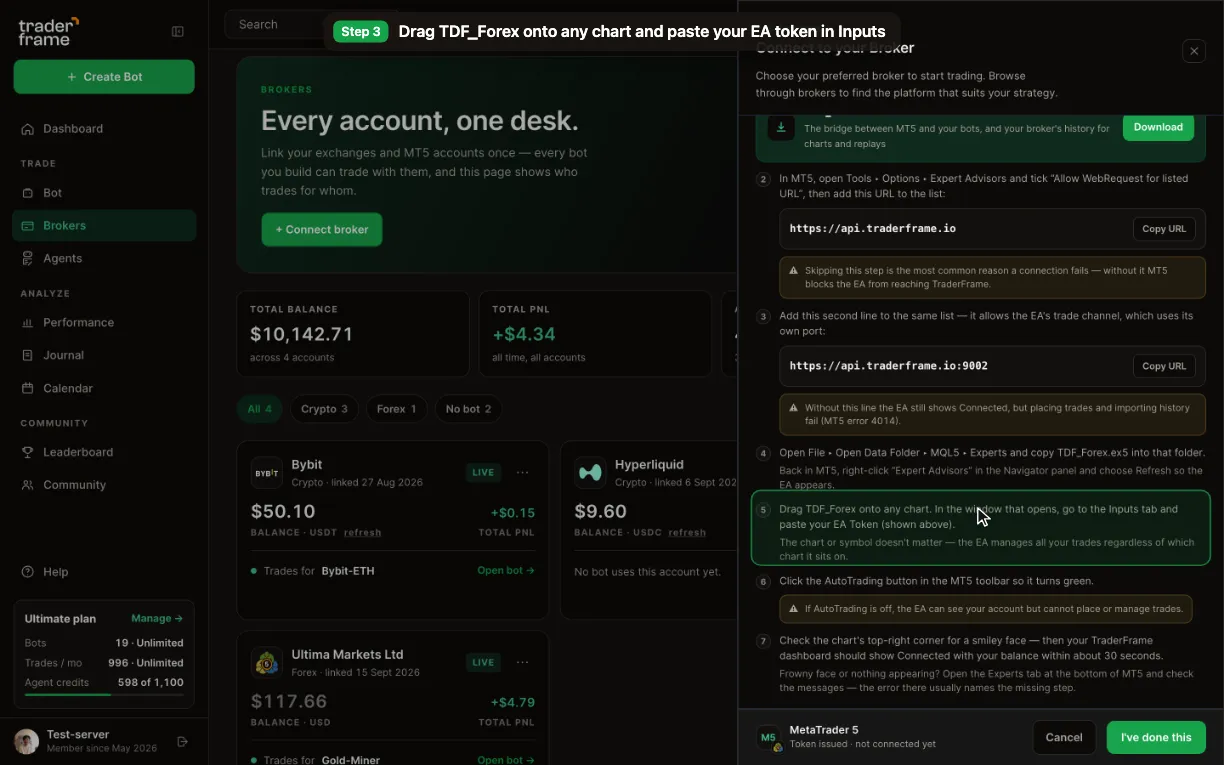
Nothing after a minute? Open the Experts tab at the bottom of MT5: the message there names the missing step.
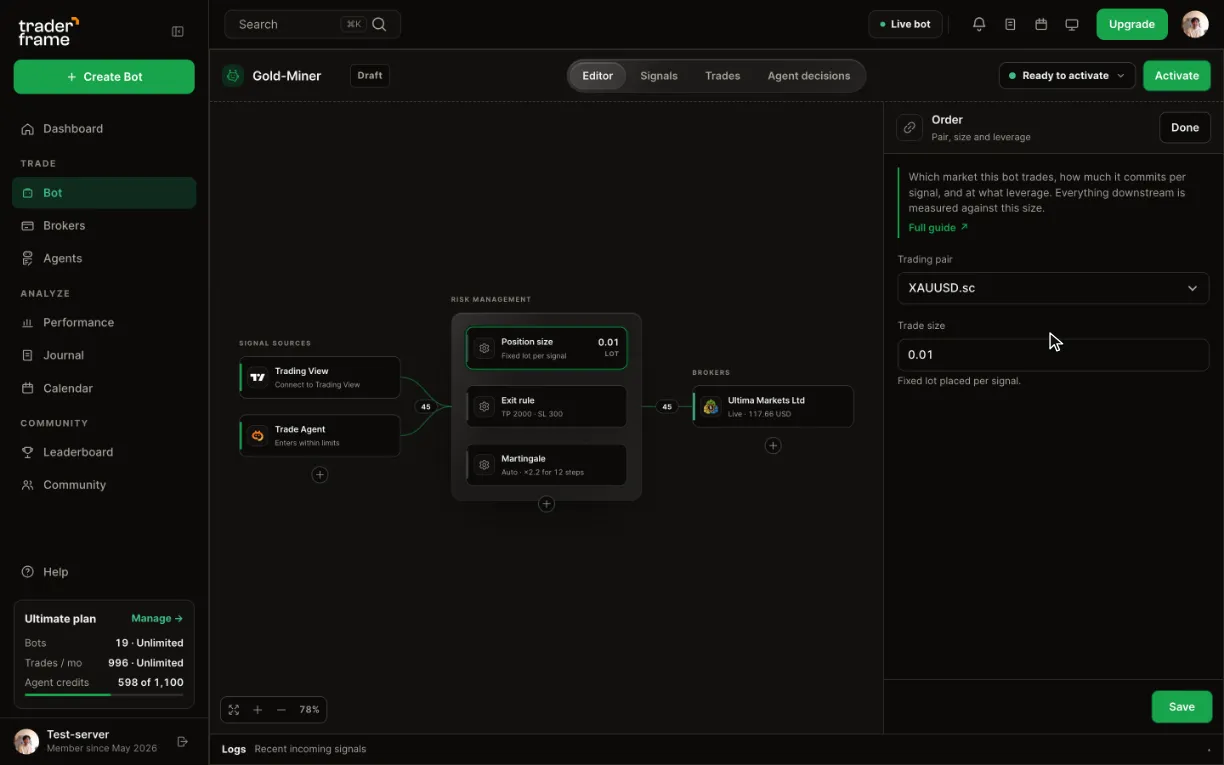
A lot means different amounts on different symbols. If your lot is below the symbol’s minimum, the EA raises it to that minimum.
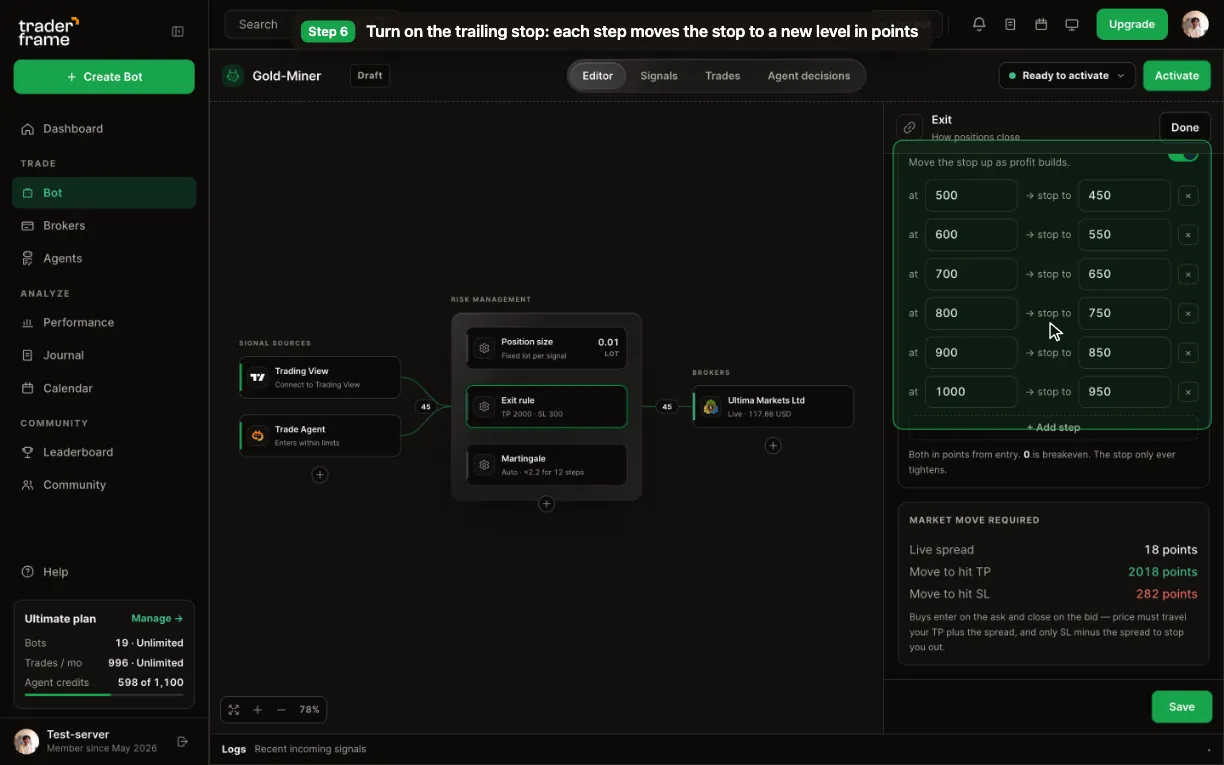
Points are your broker’s: on a 2-digit gold quote 300 points is $3.00, on a 3-digit quote it is $0.30. A stop inside the spread is refused as invalid.
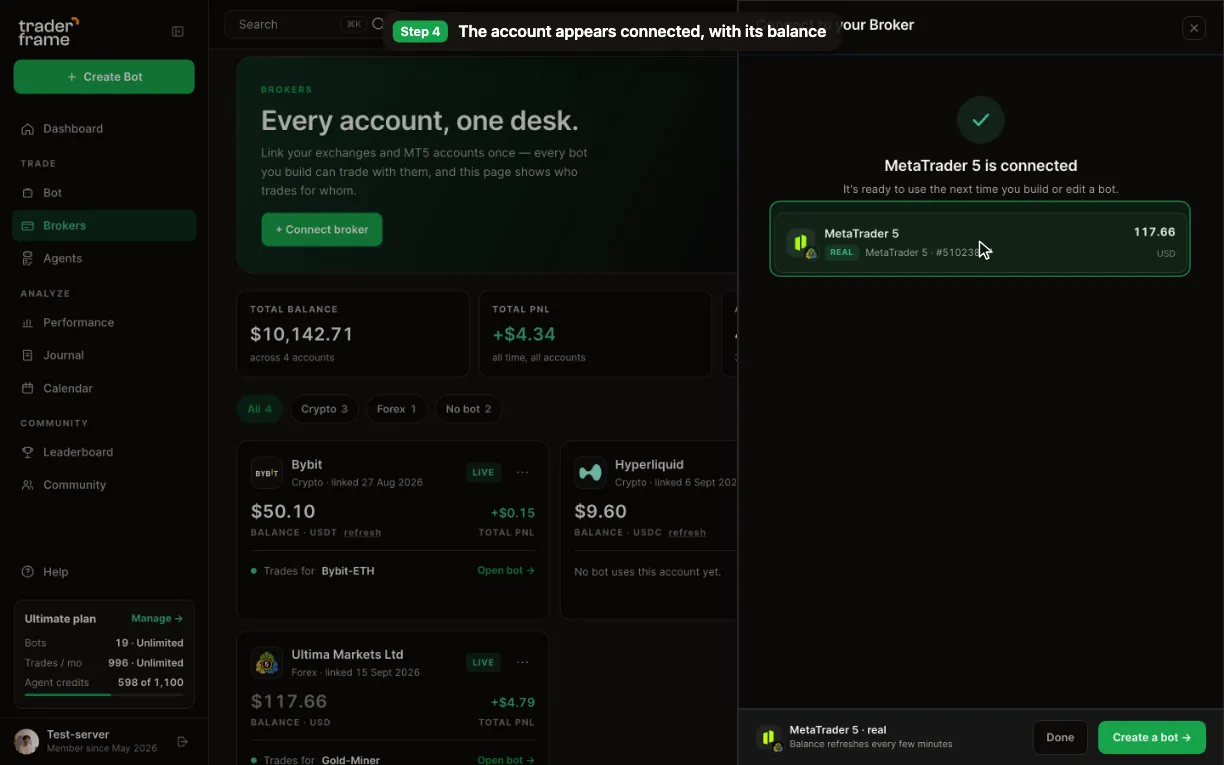
Keep MT5 open with the EA attached: the bot trades through your terminal, so it trades only while the terminal runs.
The message only says buy or sell. The bot decides the lot size and the exits.

The alert names the symbol the way your chart does, for example XAUUSD. The bot trades the symbol it is set to, with its own lot size and exits.
AI trading agent for MetaTrader 5
Pip is Trader Frame’s Trade Agent. Add it to an MT5 bot instead of an alert: Pip reads the XAUUSD market, decides when to go long or short, and explains every decision. Your bot still sets the lot size and the exits.
Yes. Add Pip, the Trade Agent, to an MT5 bot as its signal source. Pip decides when to buy or sell; the EA places the order with your lot size and exits.
The symbol’s candles on several timeframes and the spread your broker quotes, and it explains every decision.
Yes. Take profit, stop loss and the steps come from the bot’s Exit rule, in points, and the EA places them with the order.
Each look Pip takes uses agent credits from your plan. The Free plan has no agent.
Demo or live
Your broker gives you the demo and the live MT5 account; Trader Frame connects either one the same way, each with its own token. A bot proven on demo moves to live by changing its broker.
Keeping it running
The EA trades only while MT5 is open. A VPS keeps it going when your computer sleeps. If the EA is quiet for 90 seconds the account shows disconnected, and it recovers on the next check-in.
The EA places take profit and stop loss with the order, so they hold at your broker. The trailing steps are moved by the EA while it runs.
Take profit, stop loss and steps are in your broker’s points, and a lot means different amounts on different symbols. Check the market move before you save.
When a new EA version is out, the account card says so. Download it, replace the file in MQL5 ▸ Experts and attach it to the chart again.
Troubleshooting
Every refusal and skip is written to the bot’s Signals tab with its reason. The Experts tab in MT5 shows the EA’s side.
FAQ
No. The EA runs in your own terminal and signs in with a token. Your broker login never leaves your machine.
Any broker that offers MetaTrader 5, demo or live. The EA works with your account as the broker set it up, including cent accounts.
MetaTrader 5 has to stay open with the EA attached. Many traders run it on a VPS so it keeps going around the clock.
Whatever your MT5 account offers: forex pairs, gold, indices and more, using the symbol name your broker uses.
MetaTrader prices move in points, the smallest step for each symbol. The Exit panel shows the market move against the spread, so you can check the distance before you save.
Yes. Add Meta Trader under Signal sources for alerts from your MT5 indicators, or use TradingView, Telegram, Discord or Pip.
Connect your broker’s MT5 demo first. When the bot has earned it, connect your live account with its own token and point the same bot at it.





.svg)


.webp)