Send a buy or sell signal and the bot places the order on your broker: a futures contract with its stop and target, or an options contract picked by delta and expiry. You set the rules once; the bot checks them before every order.
Paper account first · no coding · exits placed with every order
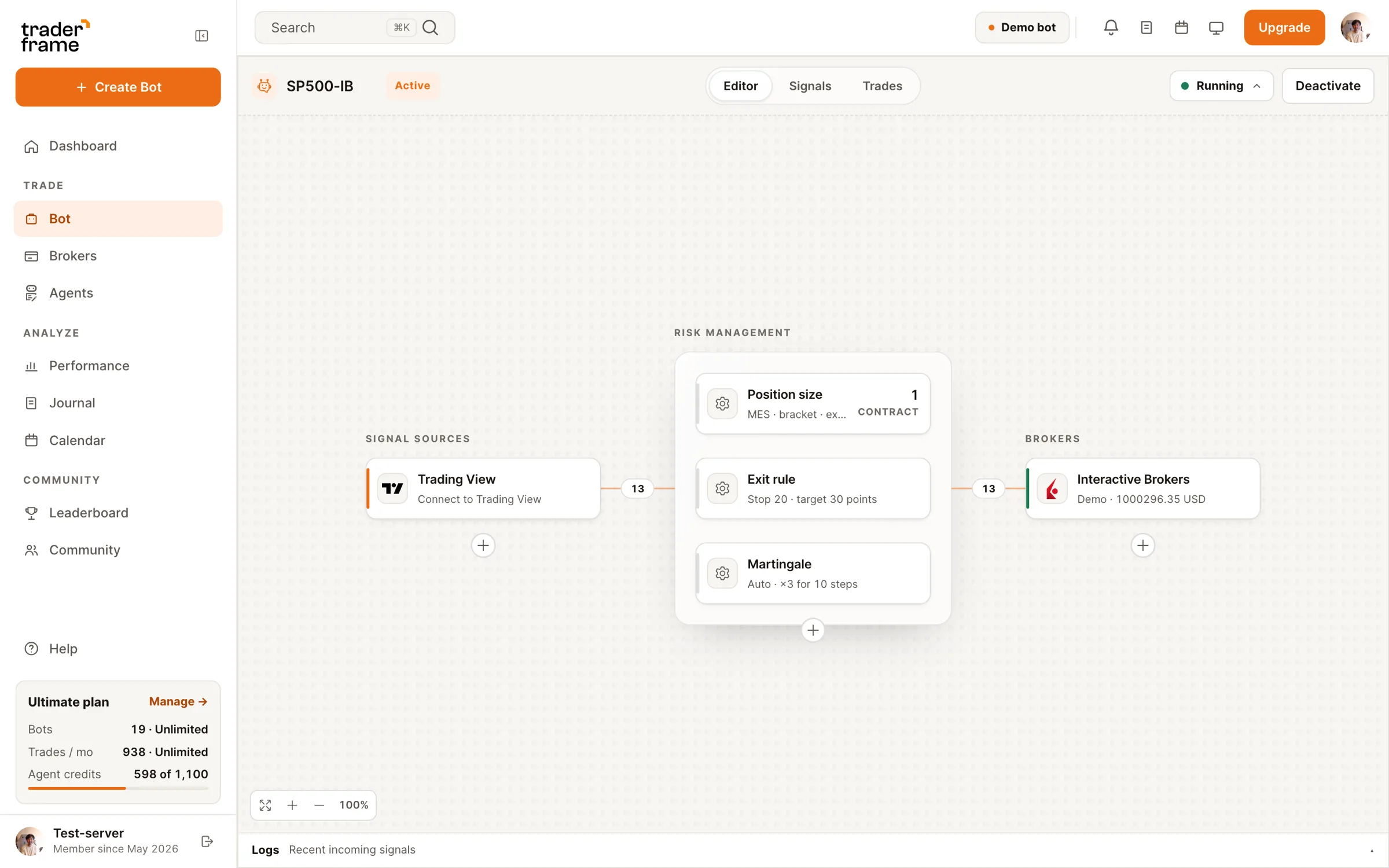

How the bot works
Futures and options bots are built the same way: a signal source, a broker, and the rules in between. Only the order panel changes with the instrument.
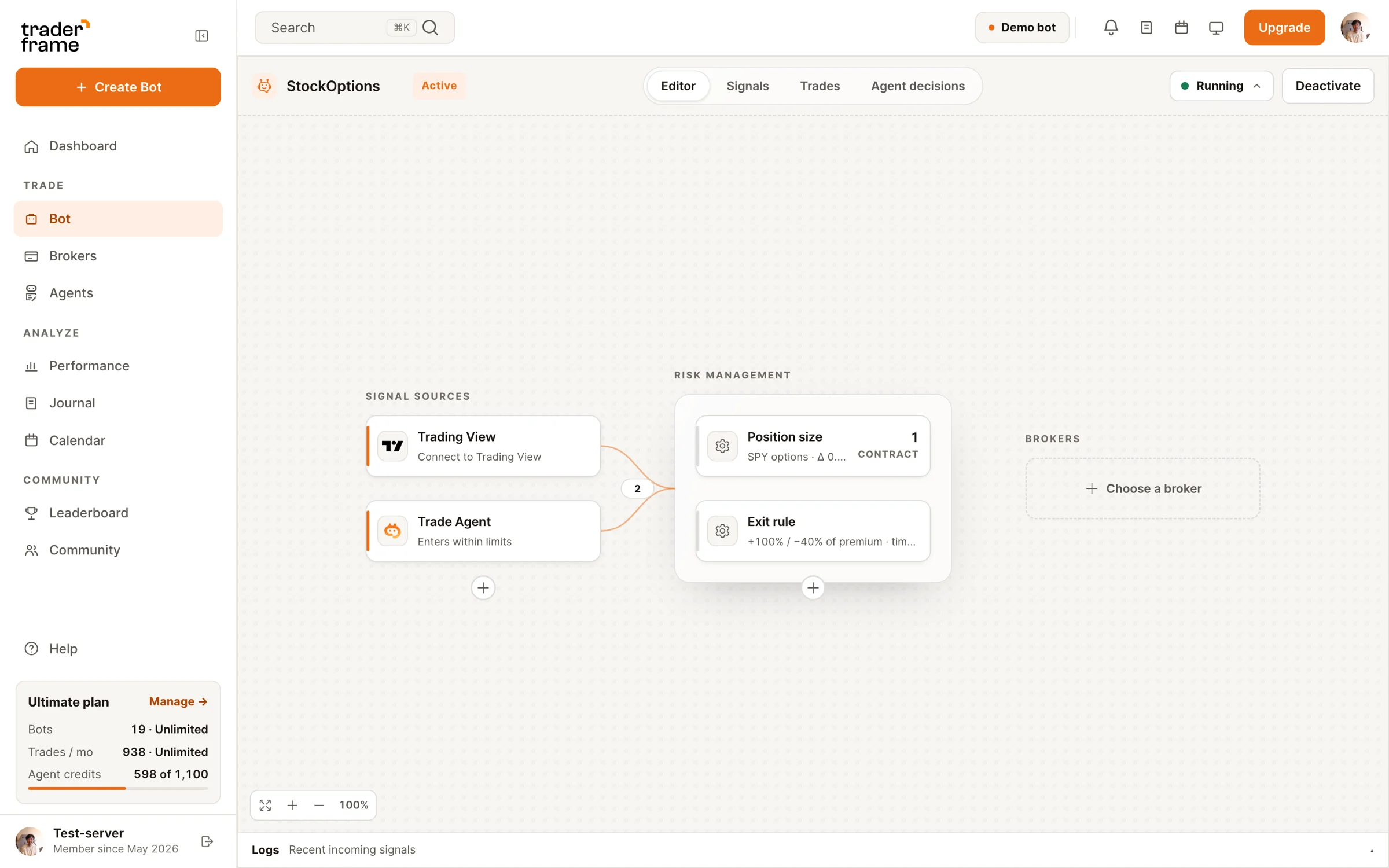
Step 01
Run TWS or IB Gateway with the TraderFrame Bridge beside it on your Mac or Windows computer, then pick the account in the bot. Your broker login stays on your machine. Start on paper.
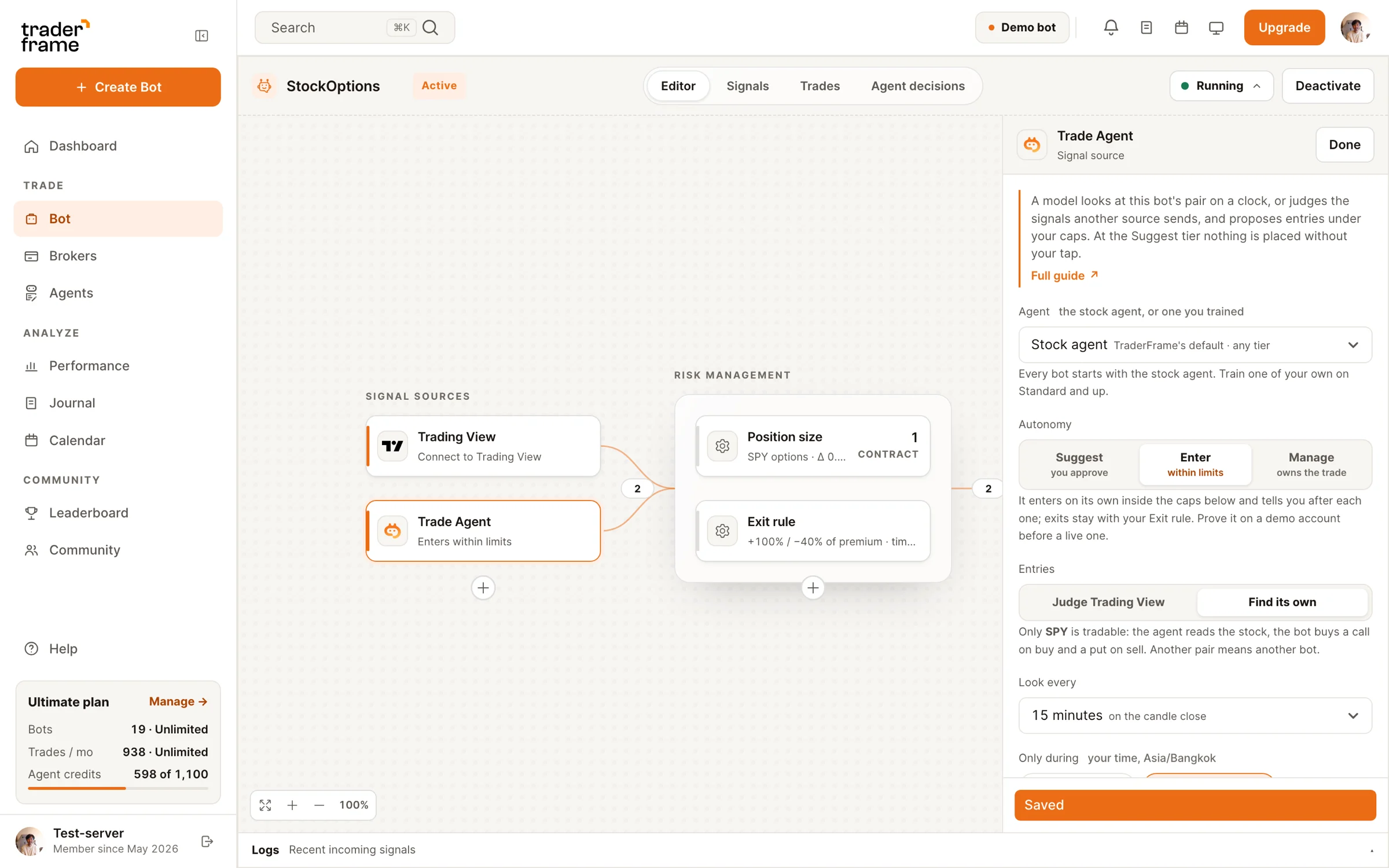
Step 02
A TradingView alert, or Pip, the AI trading agent, reading the chart on your schedule. The signal only says buy or sell; the bot works out the order.
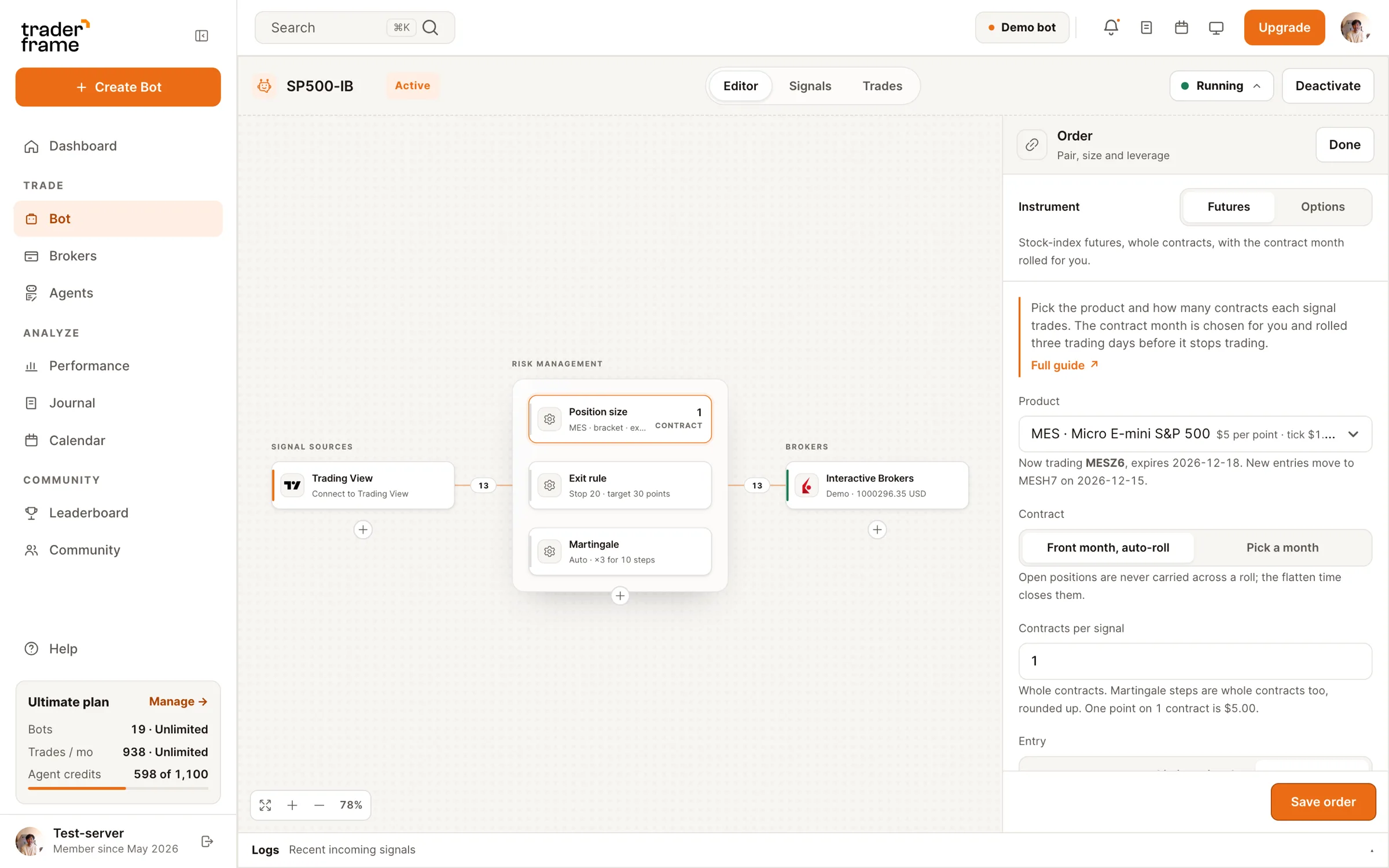
Step 03
Futures: the product, whole contracts, the entry type and the trading session, with the contract month rolled for you. Options: a rule that picks the strike and expiry.
Step 04
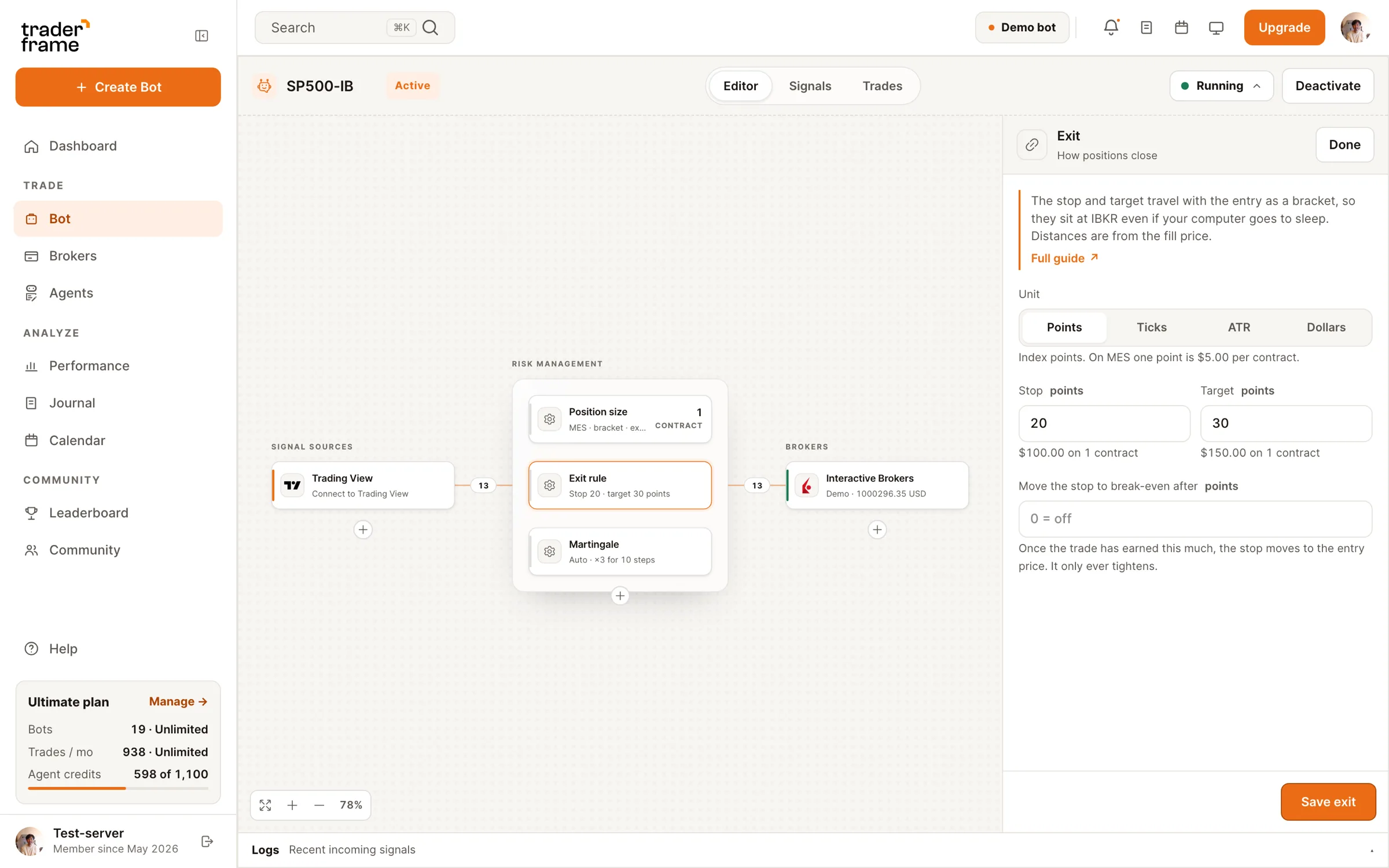
Stop and target in points, ticks, ATR or dollars, with the dollar amount shown per contract. They go to your broker with the entry, so they hold even if your computer sleeps.
Futures or options
Run a futures bot and an options bot side by side from the same signal, on the same Interactive Brokers account.
Not supported: selling options, spreads or other multi-leg orders, and futures outside the six index products.
Options, step by step
At signal time the bot reads the live option chain, picks the contract your rule describes and refuses it if it breaks one of your limits.
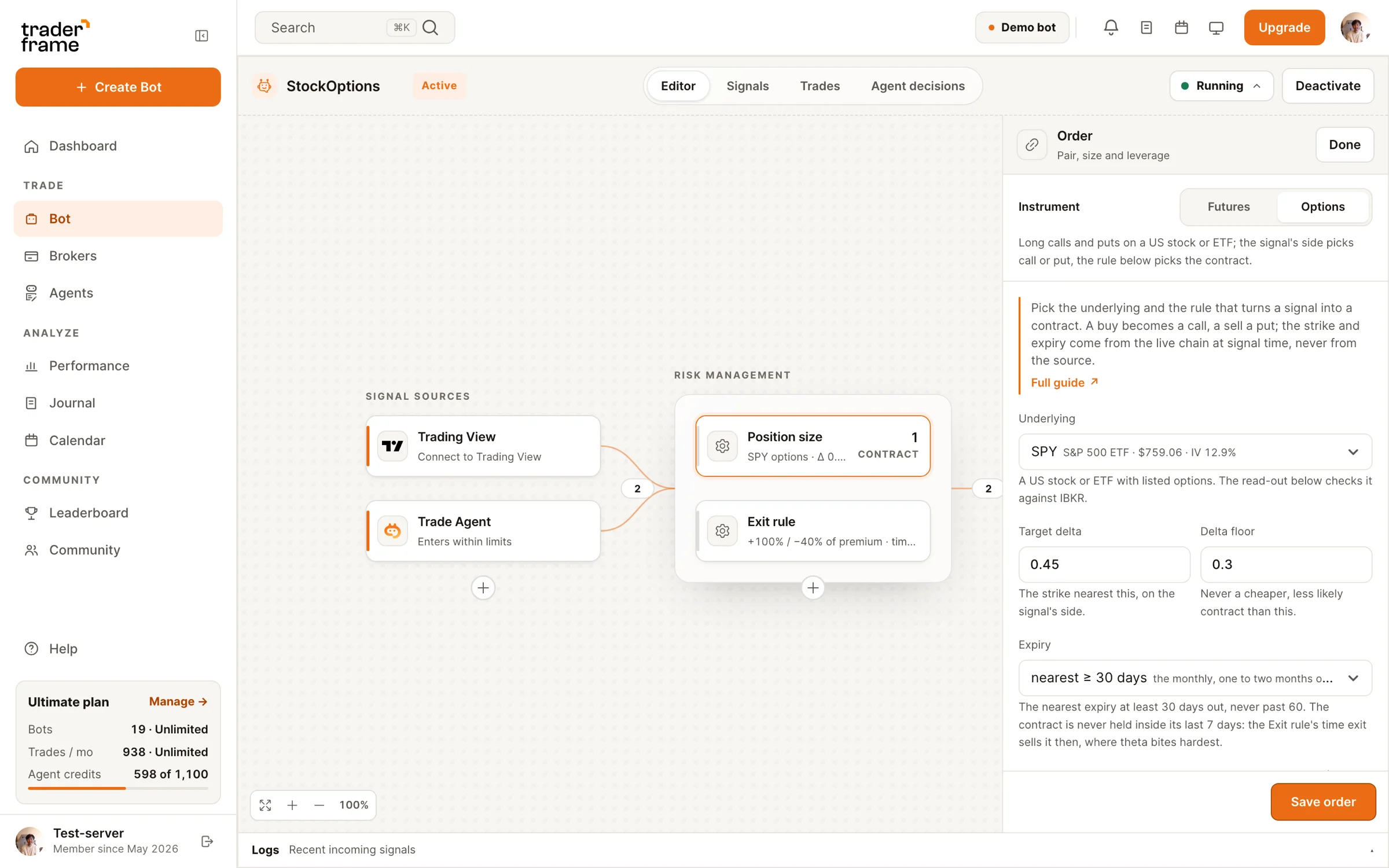
Options contract rule
Pick the underlying, a target delta with a floor, an expiry window such as 30 to 60 days, contracts per signal and the most a trade may cost. Add IV-rank and earnings filters if you want them.
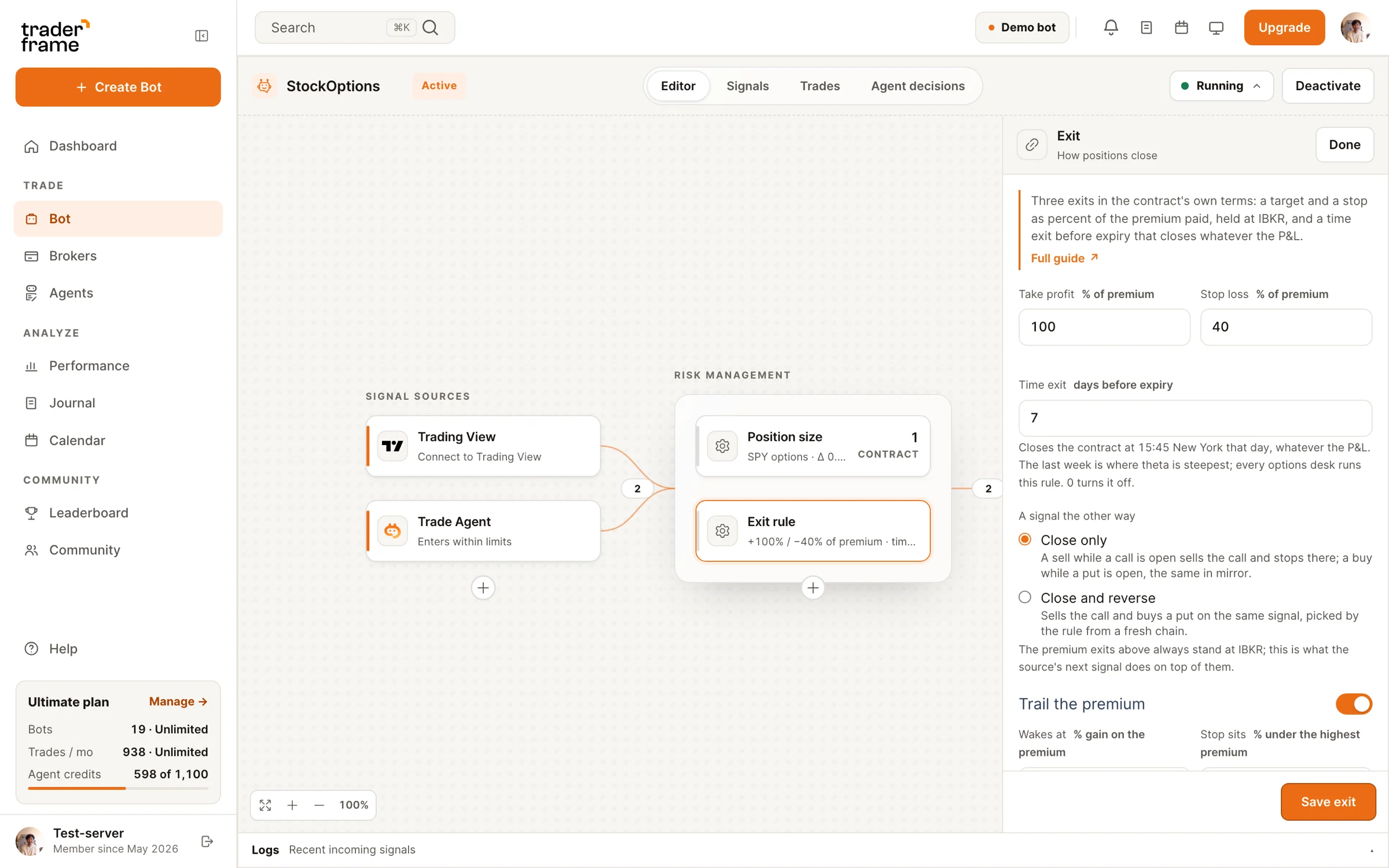
Options exits
Take profit and stop loss as a percent of what you paid, held at IBKR, a time exit that sells before expiry whatever the P&L, and an optional trail that follows the premium up.
Built for futures and options
Futures bots trade the front month and move new entries to the next one three trading days before it stops trading. Open positions never carry across a roll.
Regular hours only, or extended hours too. A flatten time stops new entries and closes what is open, for bots that should never hold overnight.
The strike nearest your target delta on the signal's side, never below the floor you set, in the nearest expiry inside your window.
No new contract when implied volatility ranks above your line or earnings fall inside your window. A filter with no reading refuses; it never passes on a guess.
Market closed, wrong symbol, not enough margin or buying power, over your cost cap, spread too wide: the order is refused and the log says why.
Stops and targets go to Interactive Brokers with the entry, so they work even when your computer or the Bridge is offline.
From signal to order
The same TradingView alert, sent to a futures bot and to an options bot. Each places its order with the exits already set.
Examples only. Futures losses can exceed the stop when price gaps past it. Option prices are illustrative.
Broker guides
Each broker has its own guide: what to install, which account settings to change, and how to send your first paper trade.
Market data for CME, the Bridge beside IB Gateway, and a first MES trade on paper.
Options permission and OPRA data, the contract rule by delta, and a first SPY call on paper.
Download, sign in with your Bridge token, and keep it running beside TWS or IB Gateway.
FAQ
Software that turns your trade signals into futures or options orders: it picks the contract, sizes it, places it on your broker and manages the exits, following rules you set once.
Interactive Brokers today, through TWS or IB Gateway and the TraderFrame Bridge on your Mac or Windows computer. Paper and live accounts both work.
The CME stock-index futures: Micro E-mini S&P 500 (MES), Micro E-mini Nasdaq-100 (MNQ), E-mini S&P 500 (ES), E-mini Nasdaq-100 (NQ), E-mini Dow (YM) and E-mini Russell 2000 (RTY).
Yes. Point an alert at the bot's webhook. A futures bot goes long or short; an options bot buys a call or a put. The contract comes from your rules, not the alert. TradingView automation.
The bot trades the front month and moves new entries to the next contract three trading days before the current one stops trading. It never carries an open position across the roll.
From the live chain at signal time: the nearest expiry inside your day window, then the strike closest to your target delta that is not below your floor.
On options, the premium you paid. On futures, the stop distance, but in a fast market price can gap past the stop, so a loss can be larger. Size in whole contracts you can afford to lose.
Yes, and that is where to start. On an IBKR paper account quotes can run 15 minutes late, so fills and trails on paper are only a guide to live trading.
Build a futures bot, an options bot, or both. Prove them on paper, then point them at your live account.





.svg)



.webp)