
Connect your IBKR account to Trader Frame through the Bridge, then build a bot that trades MES, MNQ, ES, NQ, YM or RTY from your signals. Six steps, on a paper account first, and no code.
Before you start
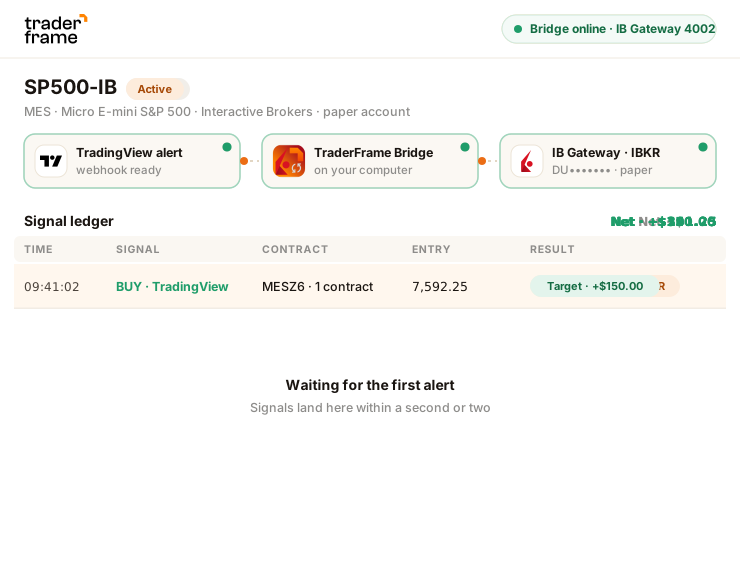
Interactive Brokers takes no API key. A small program, the TraderFrame Bridge, runs next to IB Gateway on your computer and carries your bots' orders to it.
Paper to start. Trader Frame labels paper and live everywhere, and the Bridge refuses a mismatch.
Installed and logged in. IBKR Desktop will not work: it has no API.
It stays on while your bots trade. Linux works too, with Python 3.10 or newer.
Paper trades on delayed quotes. A live account needs a real-time CME subscription in IBKR.

Your IBKR login and two-factor never leave your computer. The Bridge places orders only for commands Trader Frame queued for your account, and reports every fill back.
Step by step
Do the steps in order. Each one ends with something you can see, so you know it worked before you move on.
The token stays the same until you disconnect the account. Brokers › ⋯ › View Bridge token shows it again. Treat it like a password.
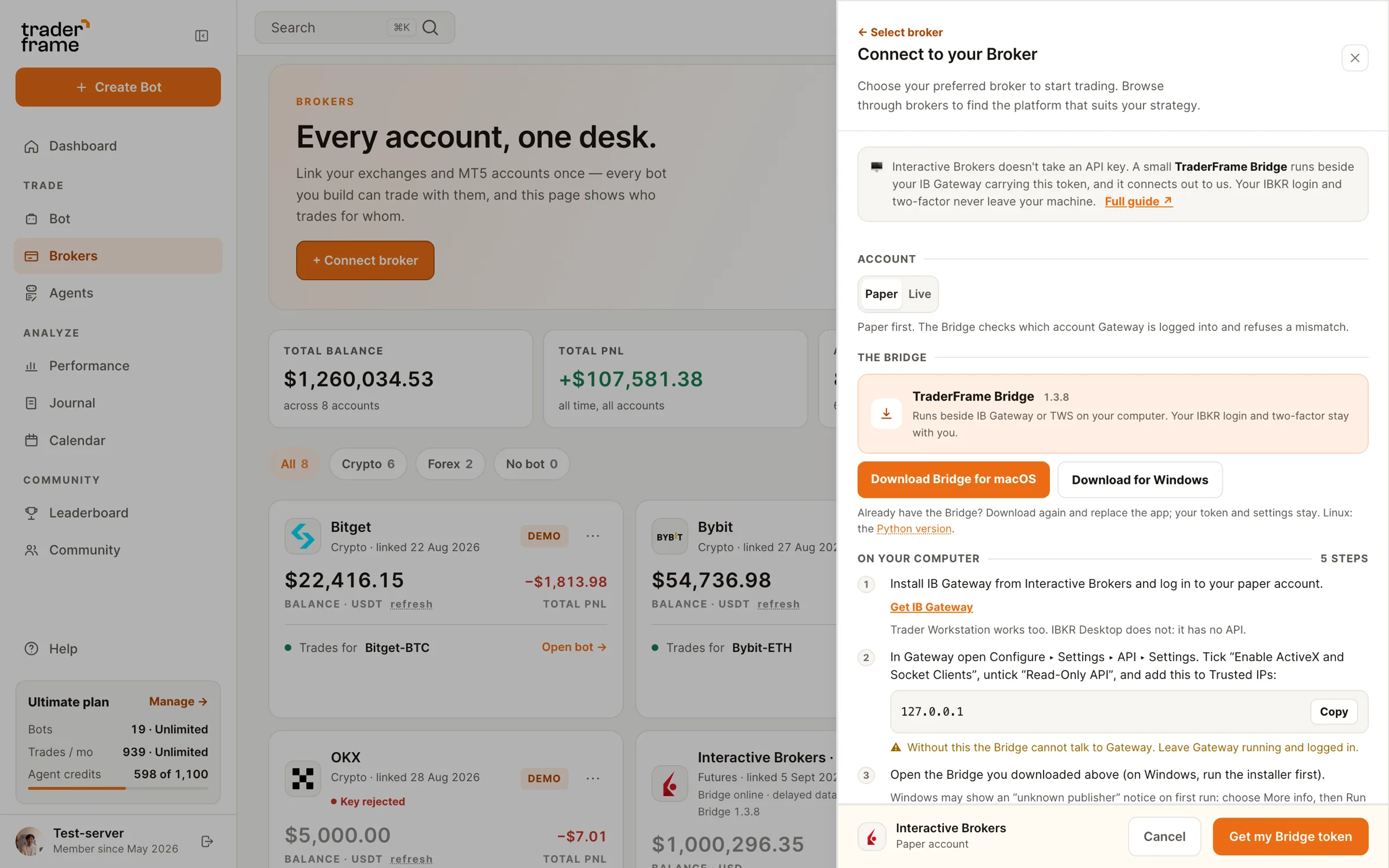
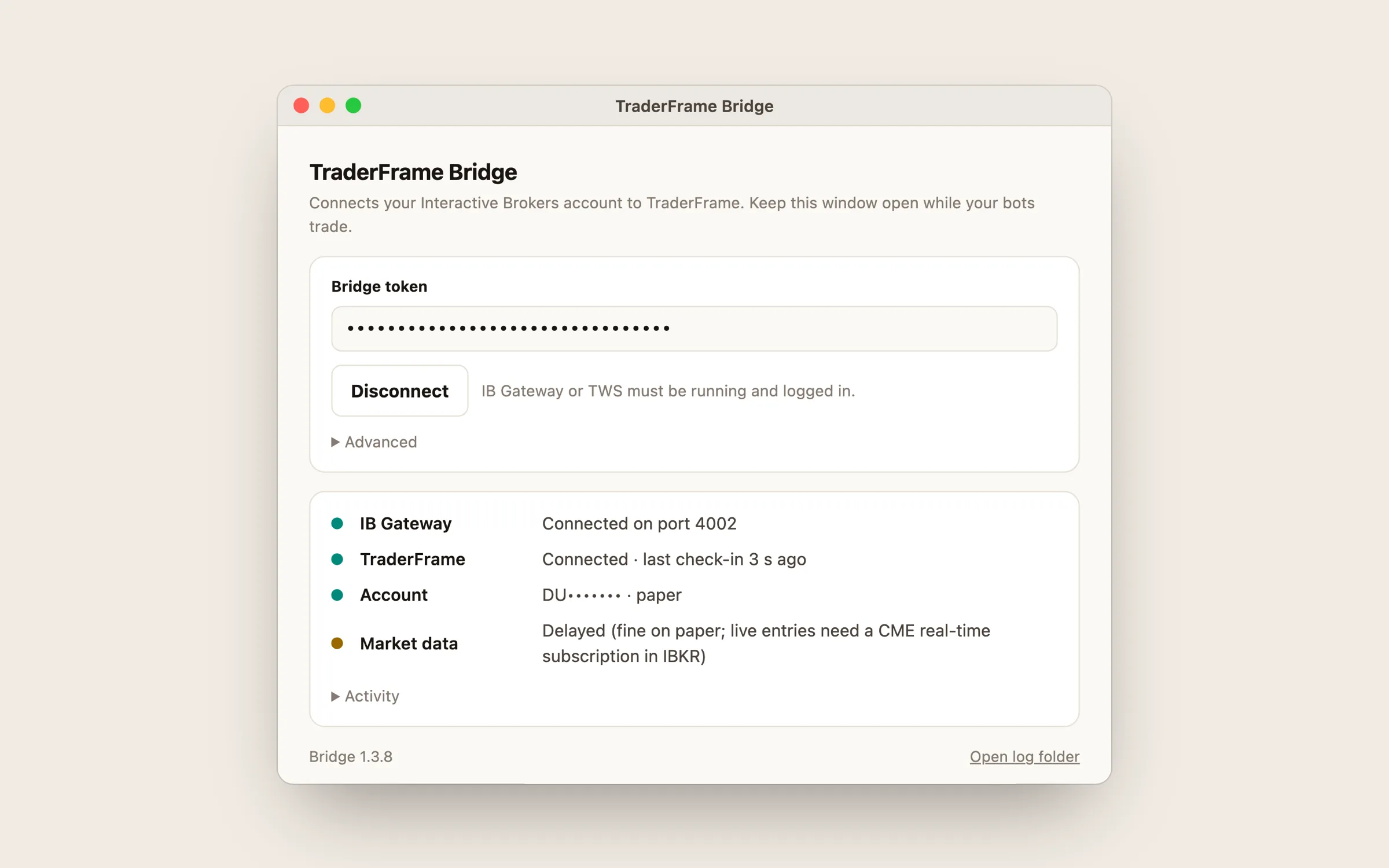
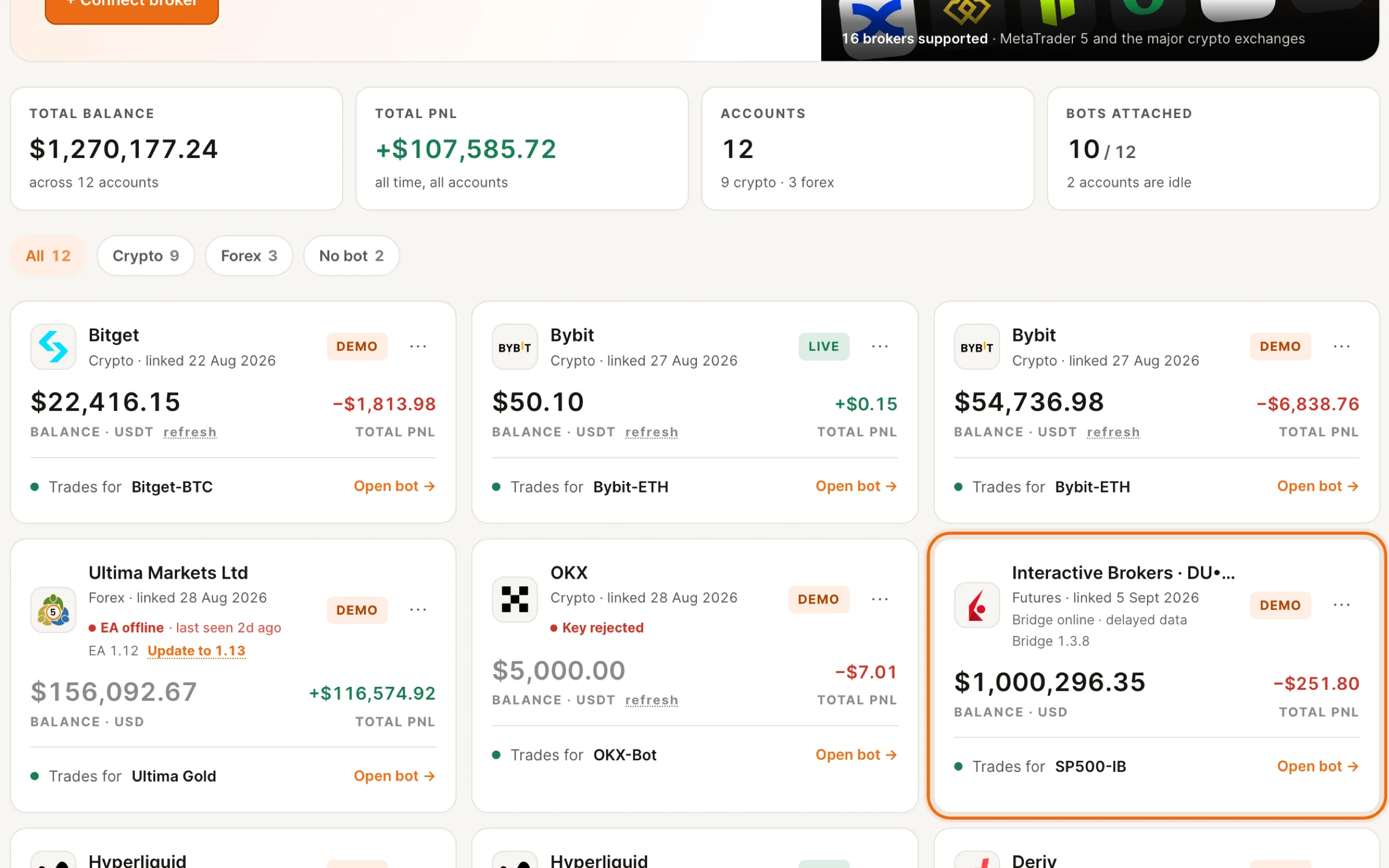
If a newer Bridge is out, the card shows an Update link. Download again and replace the app; your token stays.
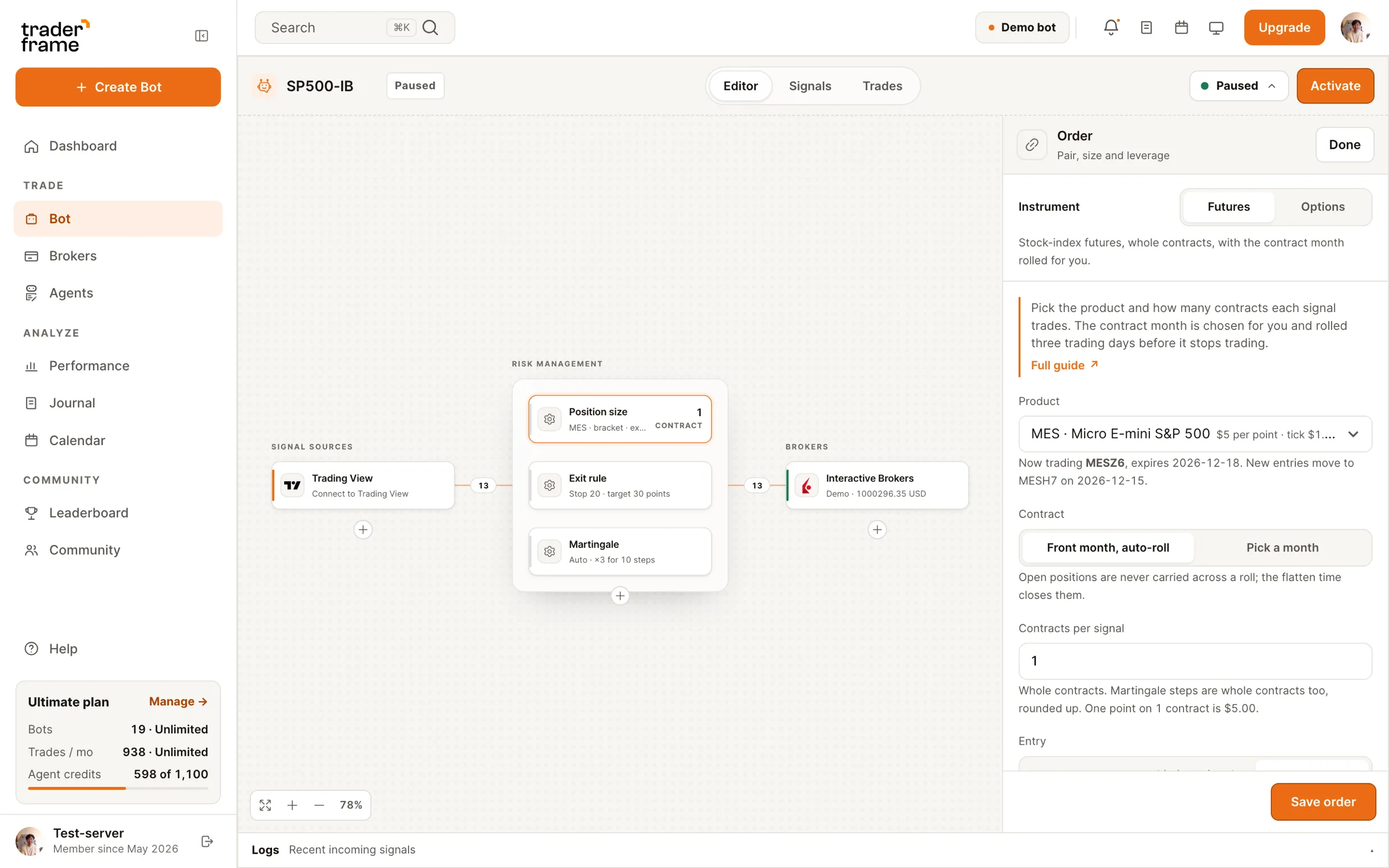
Flatten at 15:55 is on by default: no new entries after it, and open positions close. Turn it off for swing bots.
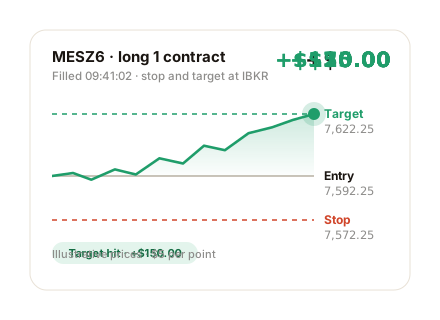
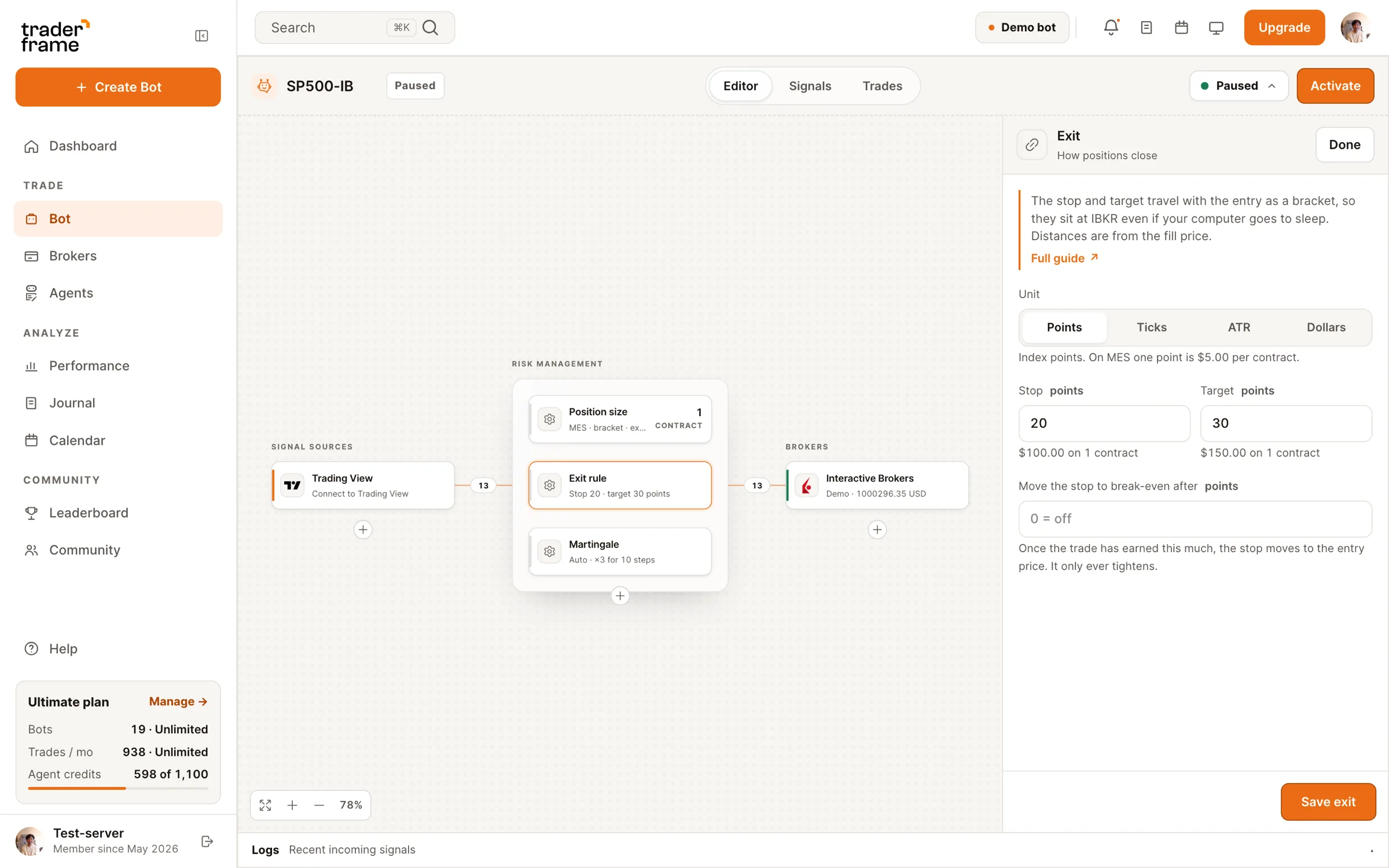
Stop and target go to IBKR with the entry, so they hold even if the Bridge or your computer goes offline.
The message only says buy or sell. Size, contract month and exits come from the bot.

The alert names the product any way a chart does: MNQ, MNQ1!, CME_MINI:MNQ1! or MNQZ6 all reach an MNQ bot. The contract month is always the bot's choice, never the alert's.
Market data
Real-time CME data is a subscription in your IBKR account, not something a live account has by itself. While the feed is delayed, quotes and the Trade Agent's bars are 15 minutes old; fills still happen at the live price.
Keeping it running
IB Gateway asks you to log in again once a day, and to re-authenticate fully once a week. Until you do, the account reads Needs your login and your futures bots pause. Stops already at IBKR stay in place. Log in and the Bridge reconnects on its own.
The Bridge works while its window is open and Gateway is logged in. One Bridge per IBKR account, on one computer.
When a newer Bridge is out, the account card shows an Update link: download again and replace the app (Mac: drag the new app over the old one; Windows: run the installer). Your token and settings stay.
Close now sends a market order through the Bridge and cancels the stop and target at IBKR. Outside CME hours, and on early-close holidays when index futures halt 13:00–18:00 New York, IBKR holds the order until the reopen.
Troubleshooting
Every refusal and skip is written to the bot's Signals tab with its reason, so you can see why a signal did not trade.
FAQ
Yes, while your bots trade: the Bridge and IB Gateway run there. If it goes off, stops and targets already at IBKR stay in place, and new signals wait until the Bridge is back.
Yes. Turn on the same API settings in TWS. The Bridge finds either one on its own. IBKR Desktop has no API and does not work.
No. You log in to IB Gateway yourself, with your two-factor. Trader Frame only ever holds the Bridge token.
The front month, rolled three trading days before it stops trading. You can pin one month instead. The alert never decides the month.
Most IBKR accounts start with delayed data, 15 minutes behind. Fills still happen at the live price. Share a CME subscription with paper to see real-time quotes.
Options bots use the same Bridge and connection. The IBKR options guide covers the contract rule, filters and exits in premium.
Switching to live is the same bot on your live IBKR account, with a real-time CME subscription. Nothing else changes.





.svg)



.webp)