Describe a trading strategy in plain words. Pip, our AI trading agent, writes the Pine Script, checks that it runs, back tests it on real history, and trades it on your broker.
No coding needed · works with TradingView · runs on forex, crypto futures, stock futures and options







How the generator works
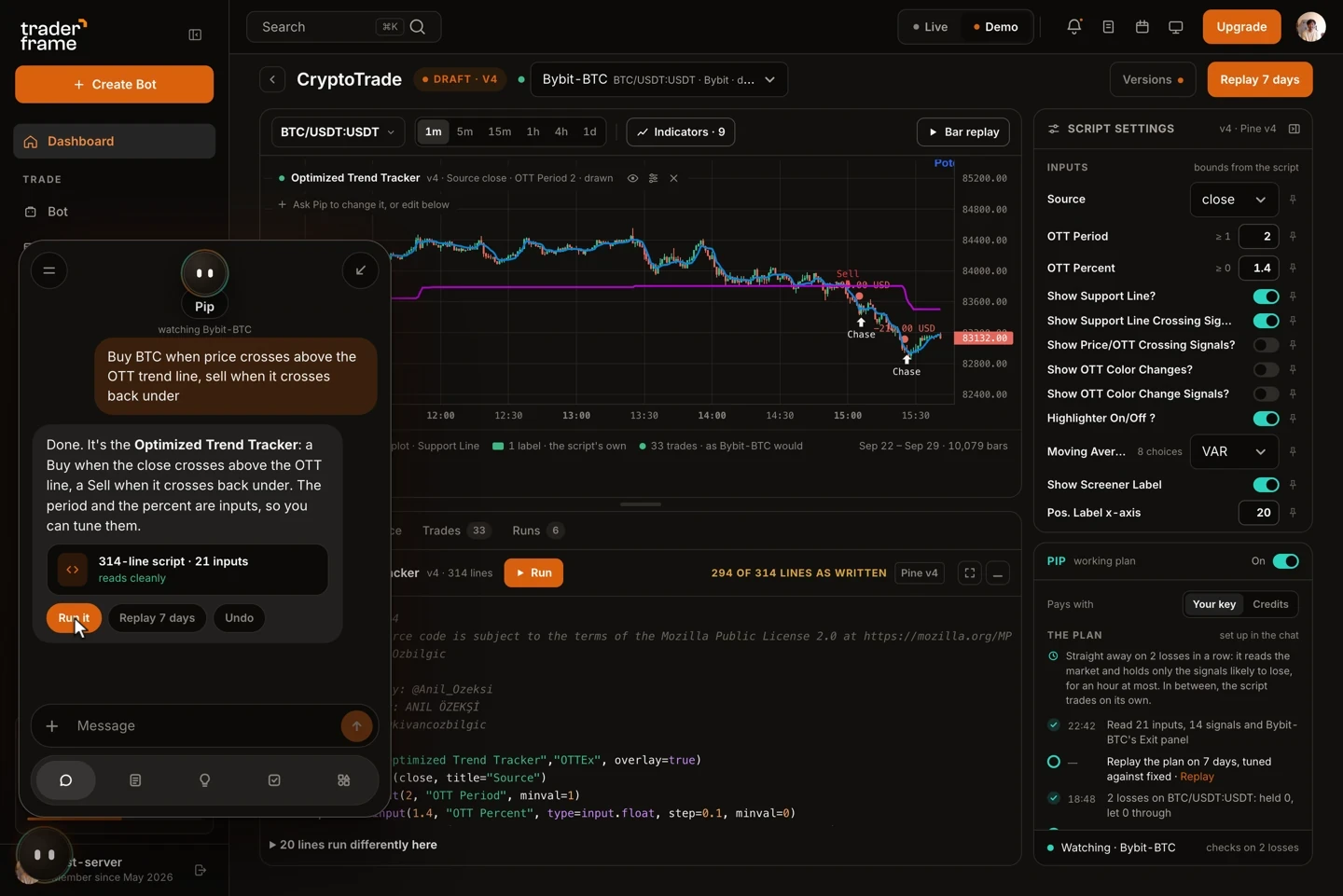
Every step happens in one window: the chat, the script, the chart and your bot's settings. Nothing goes live until you publish it.
Step 01
Write it the way you would say it: "buy BTC when price crosses above the OTT line, sell when it crosses back under". Pip asks when it needs more.
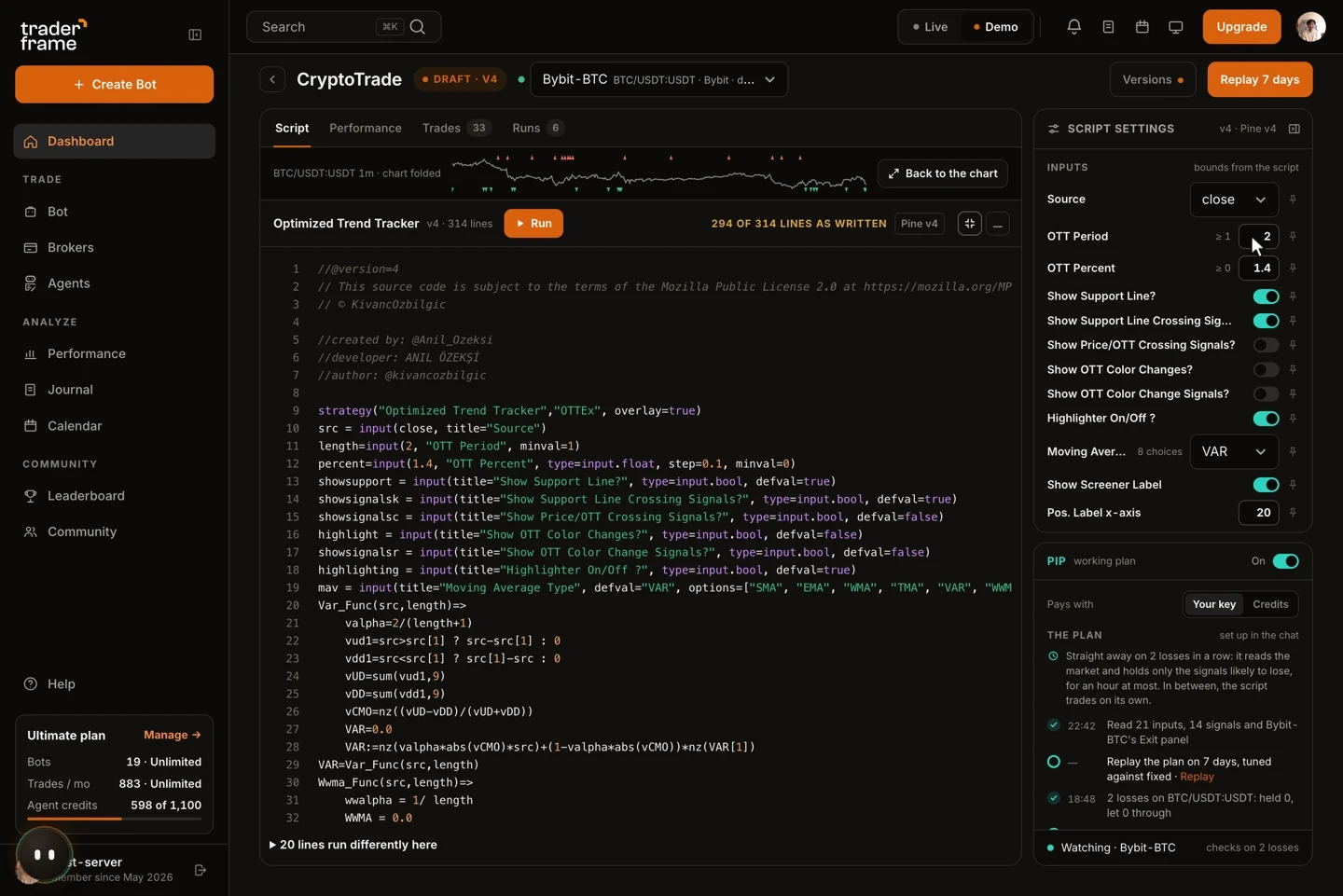
Step 02
You get the whole script, not a black box. Our engine checks it before you see it, and every number that matters is an input with bounds you set.
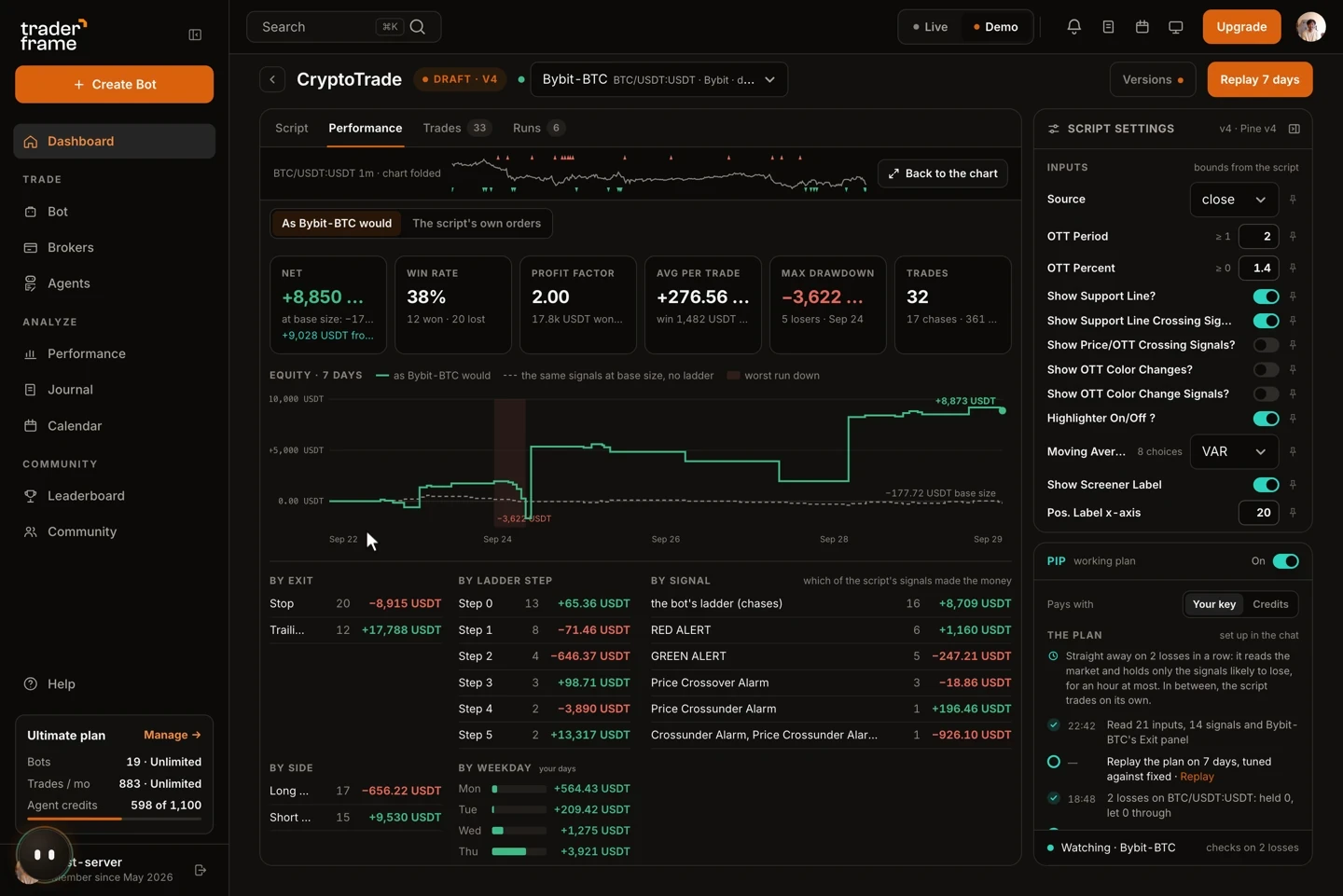
Step 03
Replay real history with your bot's own size, ladder and exits, then read net profit, win rate, drawdown and every trade the script took or passed over.
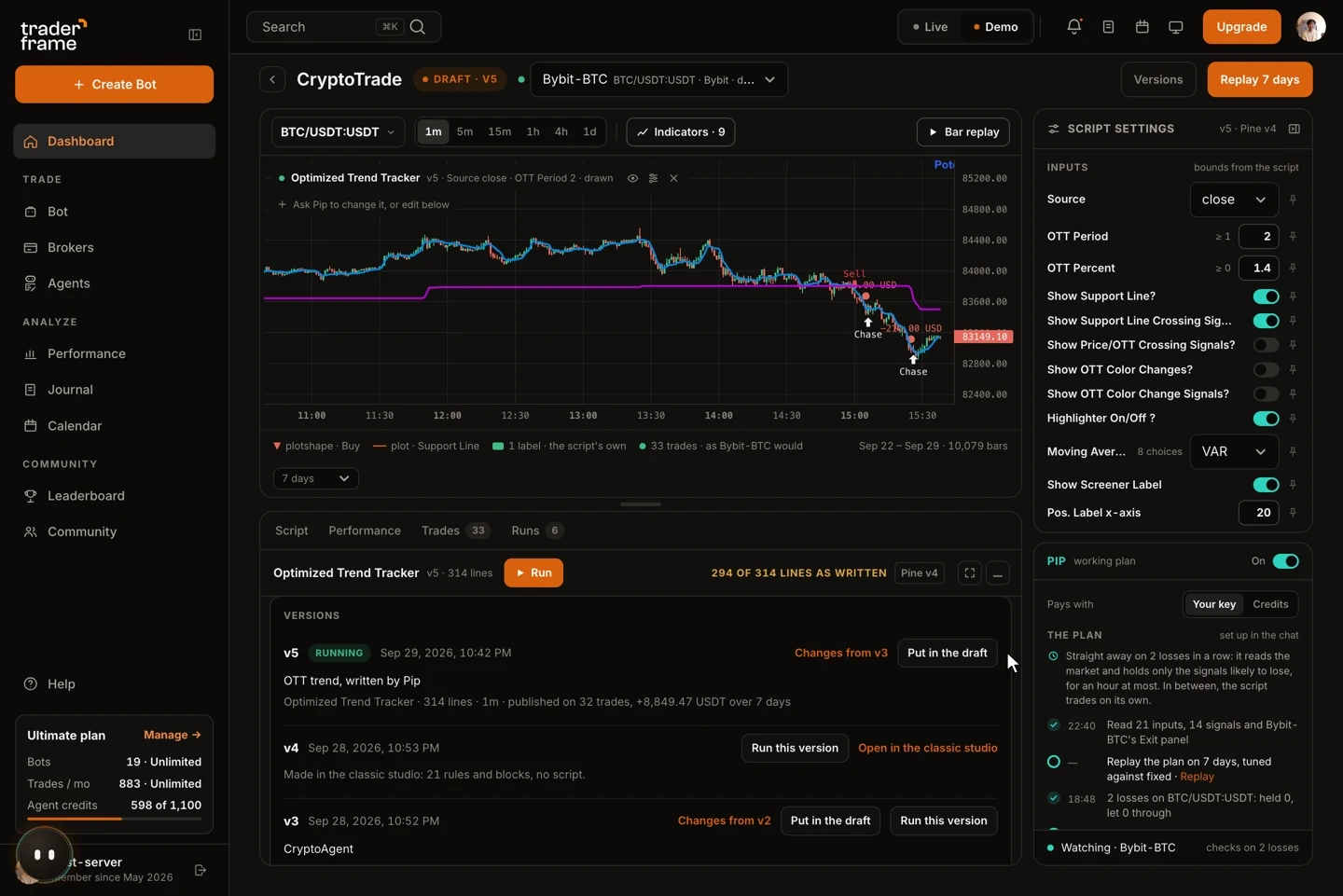
Step 04
Freeze the script as a version with a note. Your bot runs it at the next candle close, and any earlier version is one click away.
Built for real trading, not demos
Standard indicator() or strategy() code with named inputs, so you can open it in TradingView's Pine Editor too.
Our Pine engine runs every script it writes. If a line fails, Pip fixes it first, so you don't debug errors by hand.
Bring a script from TradingView, including older versions. Pip loads it, tells you what runs differently here, and can rewrite it for you.
Drop in a screenshot of a setup from anywhere, a file or a link, and ask Pip to turn it into an indicator.
Set a range for each input and pin the ones you want fixed. Pip only tunes inside your bounds, and you can undo any change.
Use TraderFrame credits, or connect your own key from OpenAI, Anthropic, Google, DeepSeek and more, and pay the provider directly.
Example
Markets
The script only says buy or sell. Your bot's size, exits, daily limits and filters still decide every order.
Any MetaTrader 5 broker, through our Expert Advisor.
Bybit, Binance, OKX, Bitget and Hyperliquid perpetuals.
Index futures such as MES, MNQ, ES and NQ with Interactive Brokers.
Calls and puts on US stocks and ETFs with Interactive Brokers.
Why not a general chatbot?
FAQ
A tool that turns a strategy you describe in plain words into Pine Script, the language TradingView uses for indicators and strategies. Ours also checks, back tests and trades the script for you.
Pine Script v6, as an indicator() when you want something to look at or a strategy() when you want entries and exits.
Yes. It is standard Pine Script, so you can copy it into TradingView's Pine Editor, or keep it in Trader Frame and let your bot trade it.
No. Describe the trade and Pip writes the code. You can still read and edit every line if you want to.
Yes. Paste it into the chat. Pip loads it, checks it with our engine, tells you which lines run differently here, and can fix or convert it.
Writing a script uses agent credits, included in paid plans. On your own AI model key it uses no credits. See pricing.
Back test it on real history, then let your bot trade it on the broker you already use.





.svg)



.webp)