
Add the TraderFrame bot to a server you manage and pick one channel. Every new message that names your bot's market and a direction becomes a trade; chat, trade updates and other markets are skipped.

Discord bots can only read servers they were added to. So the TraderFrame bot sits in your server, and reads the channel you pick there.
Linking tells us who you are and which servers you are in. Nothing is read through your account, and it cannot post.
You own it, or you have Manage Server there, so you can add the TraderFrame bot. It asks for two permissions: View Channels and Read Message History.
The bot's own pair is the only thing it trades. Size, exits and Risk Management come from the bot, never the message.
Most signal groups do not let members add bots. You do not need them to: Discord can copy an announcement channel into your server, and our bot reads the copy.
Only announcement channels can be followed. If the group posts in an ordinary channel, ask its admin to add TraderFrame there instead.
Your broker's spelling counts too: a bot on XAUUSD.sc or XAUUSDm still matches a message that says gold.
Signal bots often post embeds. Their title, description and fields are read along with the text.
You do not have to guess: before you connect, the panel shows the channel's recent messages with the verdict for each one.
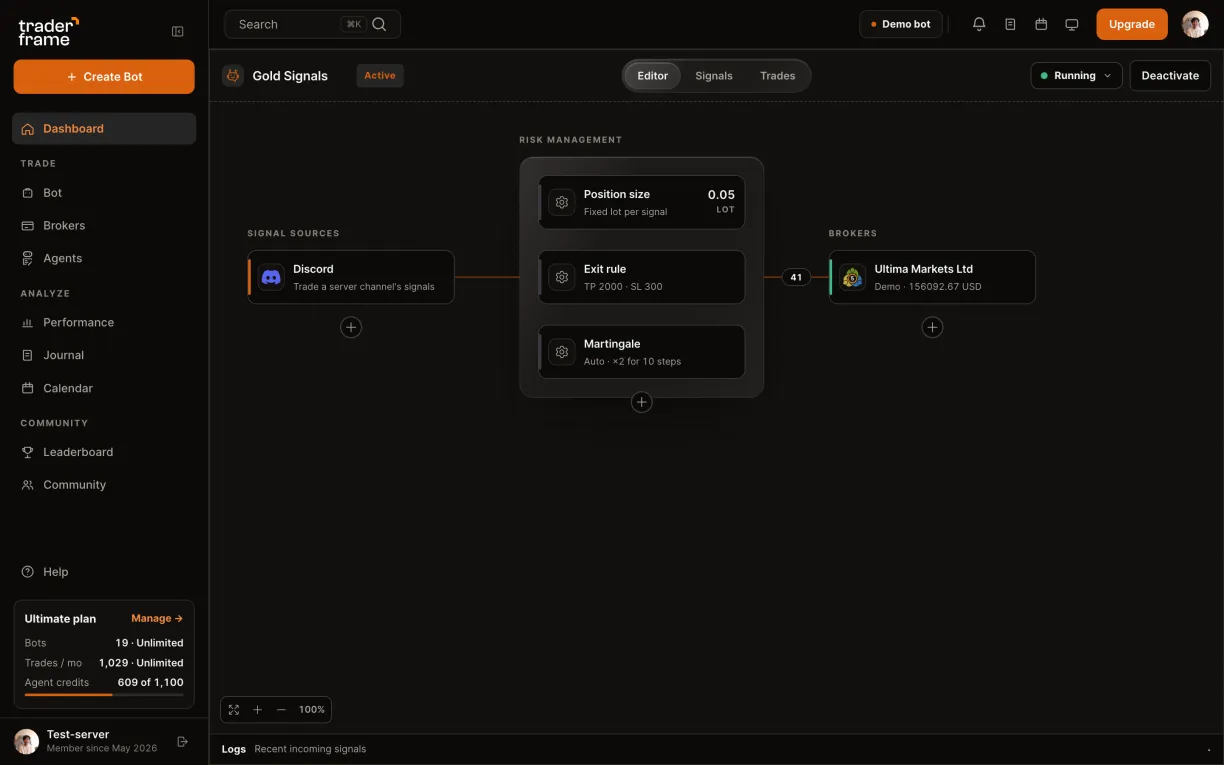
Seven steps in the bot editor, with two short stops on Discord to approve.
Bot already has a source? Press the + under it instead. Each bot follows one channel.
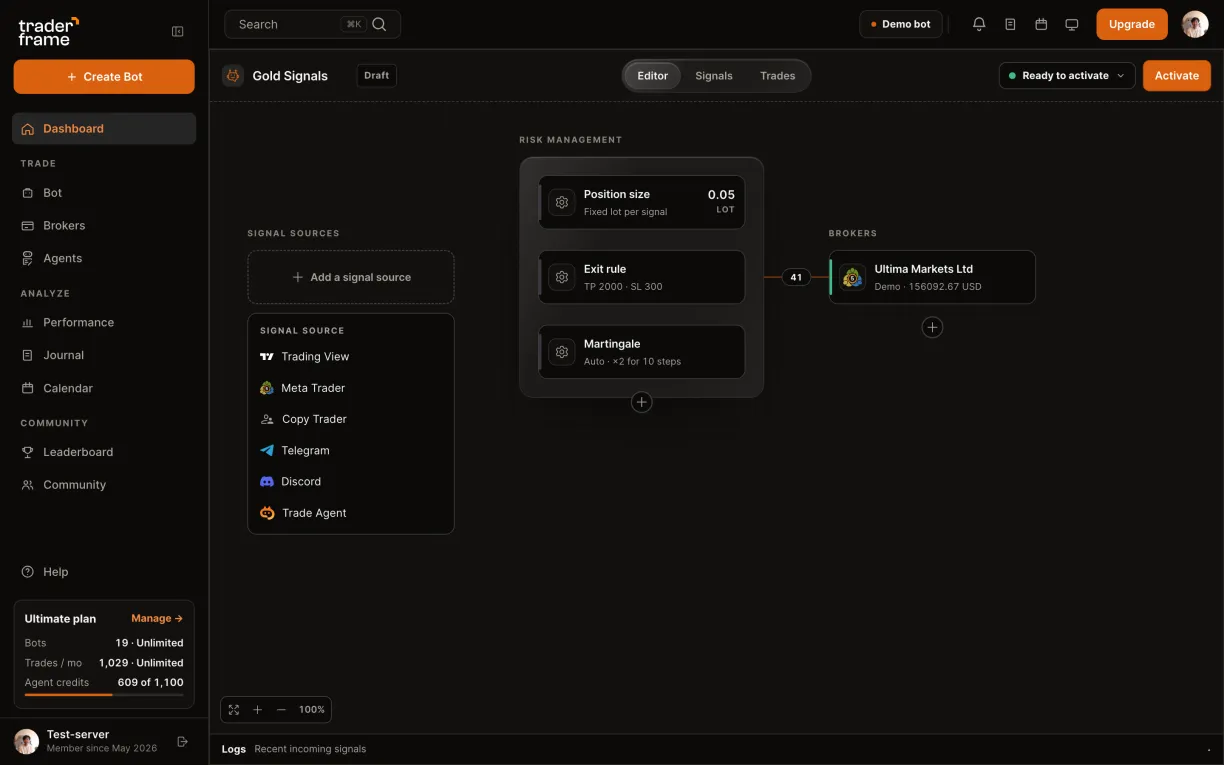
Linking reads nothing through your account. The channel is read by the TraderFrame bot, and only in a server you add it to.
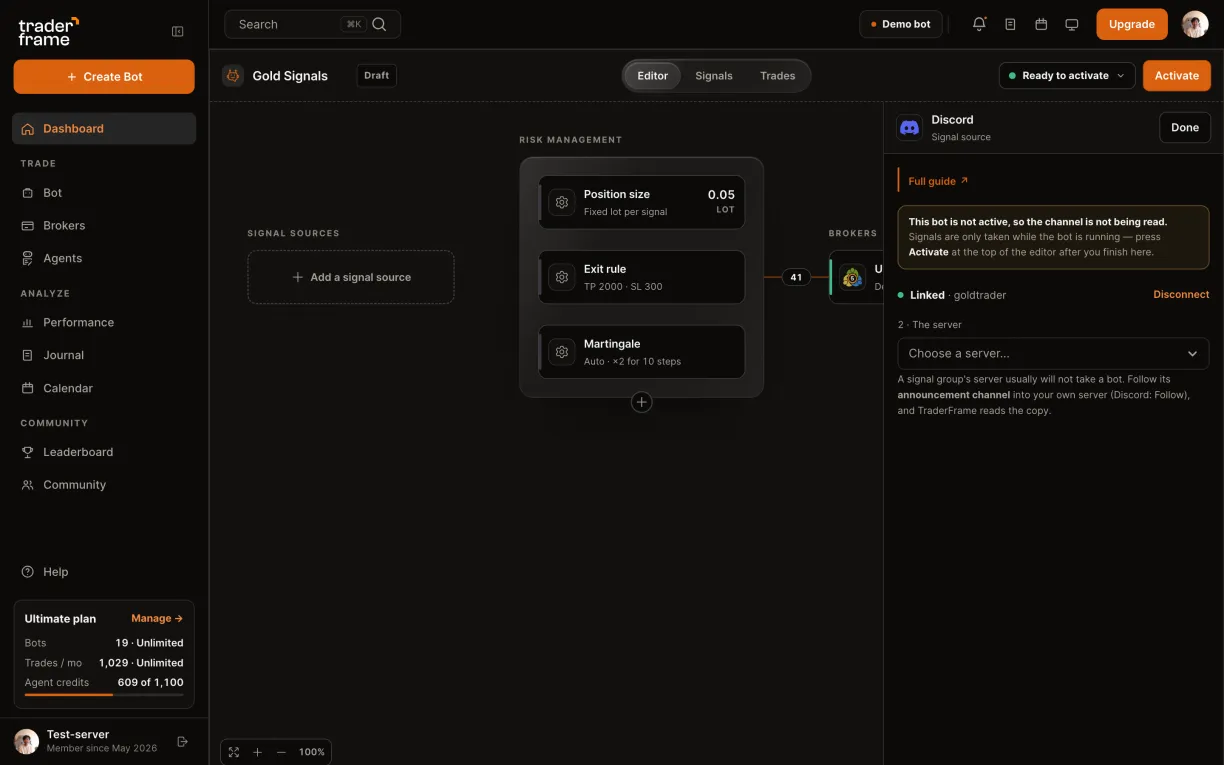
A server that says TraderFrame not in this server, with no link, is one where you cannot add bots. Follow its announcement channel into your own server instead.
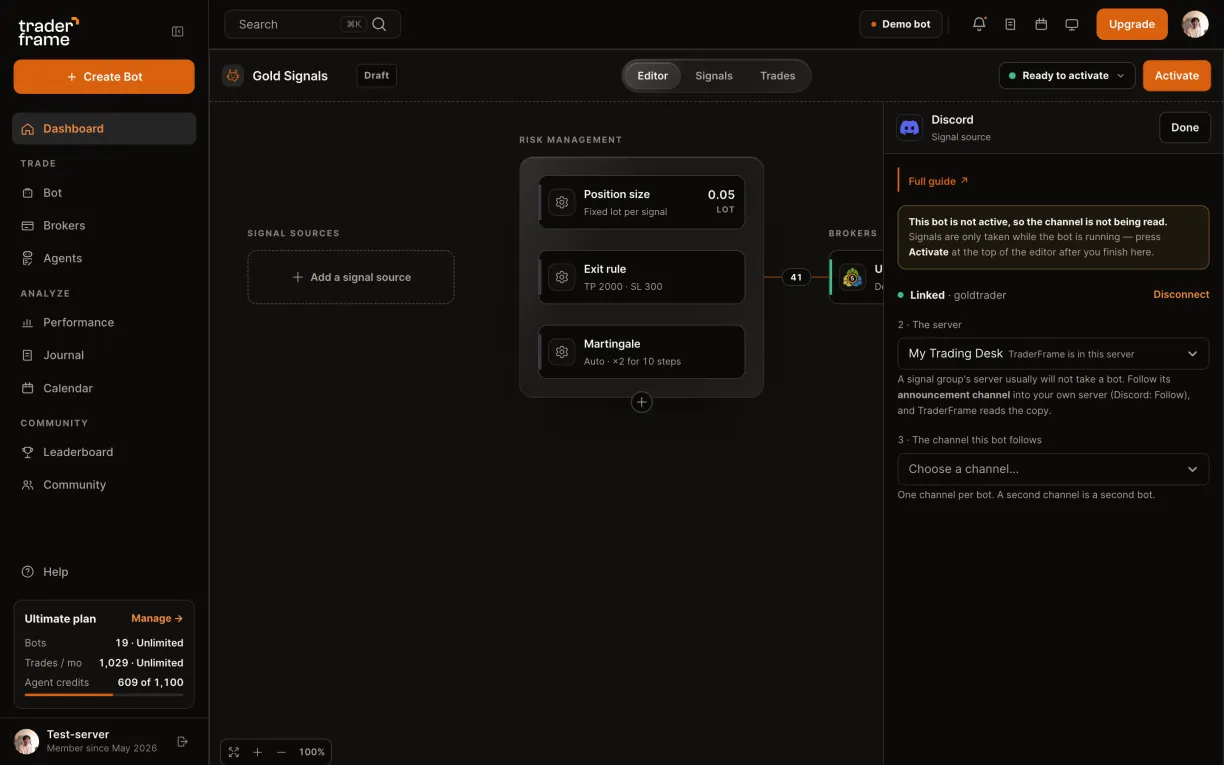
No instrument on the bot yet? Set it in Position size first: the button stays disabled until you do.
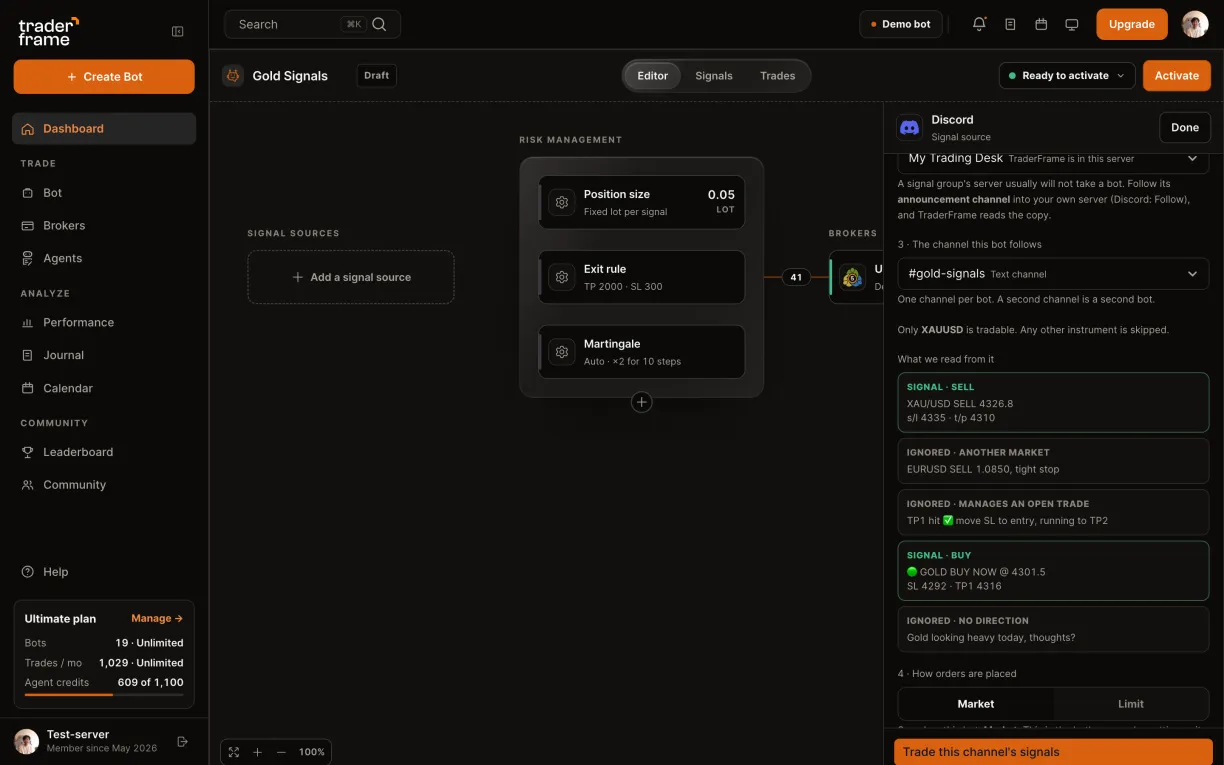
This is the bot's own order setting, so Position size shows the same value. On Limit the Exit rule becomes Follow the signal.
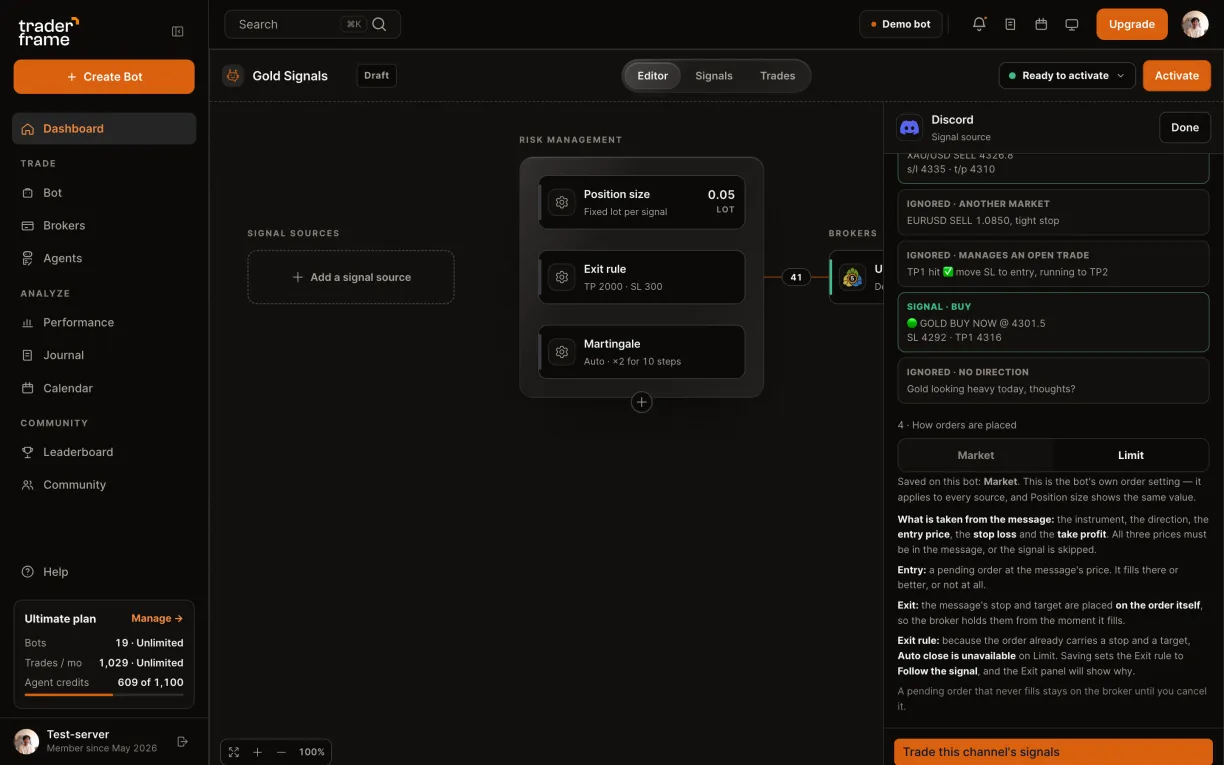
Bare calls like "XAUUSD LONG" need Market. A channel that always posts entry, stop and target can run on Limit.
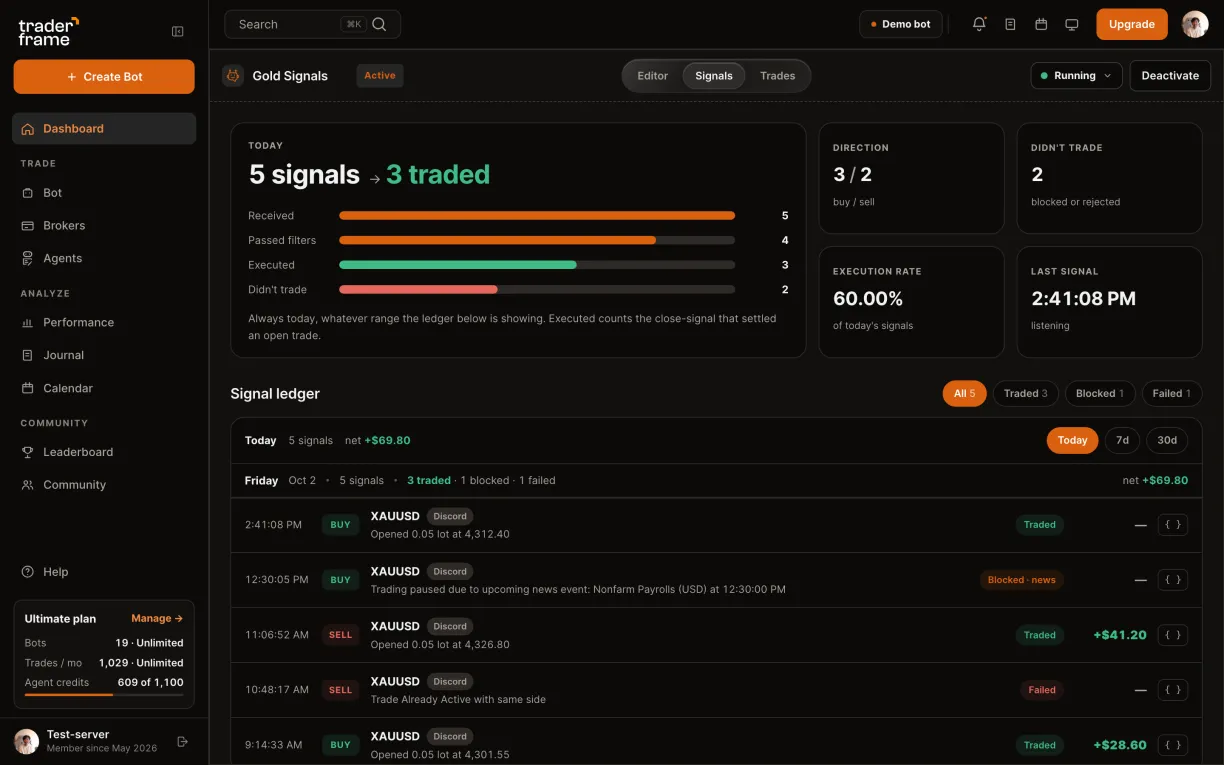
Start with the panel's preview: it says what we make of each message. Then the bot's Signals tab says what the bot did.
No. Linking shares your username and your server list, nothing else. The TraderFrame bot reads only servers you add it to, and it asks for View Channels and Read Message History only. It cannot post.
No. Follow the group's announcement channel into a server you own, and point your bot at the copy.
Close messages like "close now" or "TP1 hit" are not read. Exits come from the bot's Exit rule, or on Limit from the stop and target on the order.
Yes. Each bot picks its own channel, and several bots can pick the same one, each trading its own market.
The Discord source is on every plan, Free included. Each trade the bot places counts toward your plan's monthly trades.
Each channel is checked every 8 seconds. A call more than five minutes old is skipped, and a fresh start never replays the channel's history.
Start on a demo account. When the channel has earned it, point the bot at your real one: the channel stays the same.





.svg)







.webp)