Set your margin, leverage, take profit and stop loss once. Then every signal from TradingView, Telegram, Discord or Pip, our AI trading agent, becomes an order on your exchange, with the exits already in place.
Start on a demo account · no coding · take profit and stop loss wait on the exchange
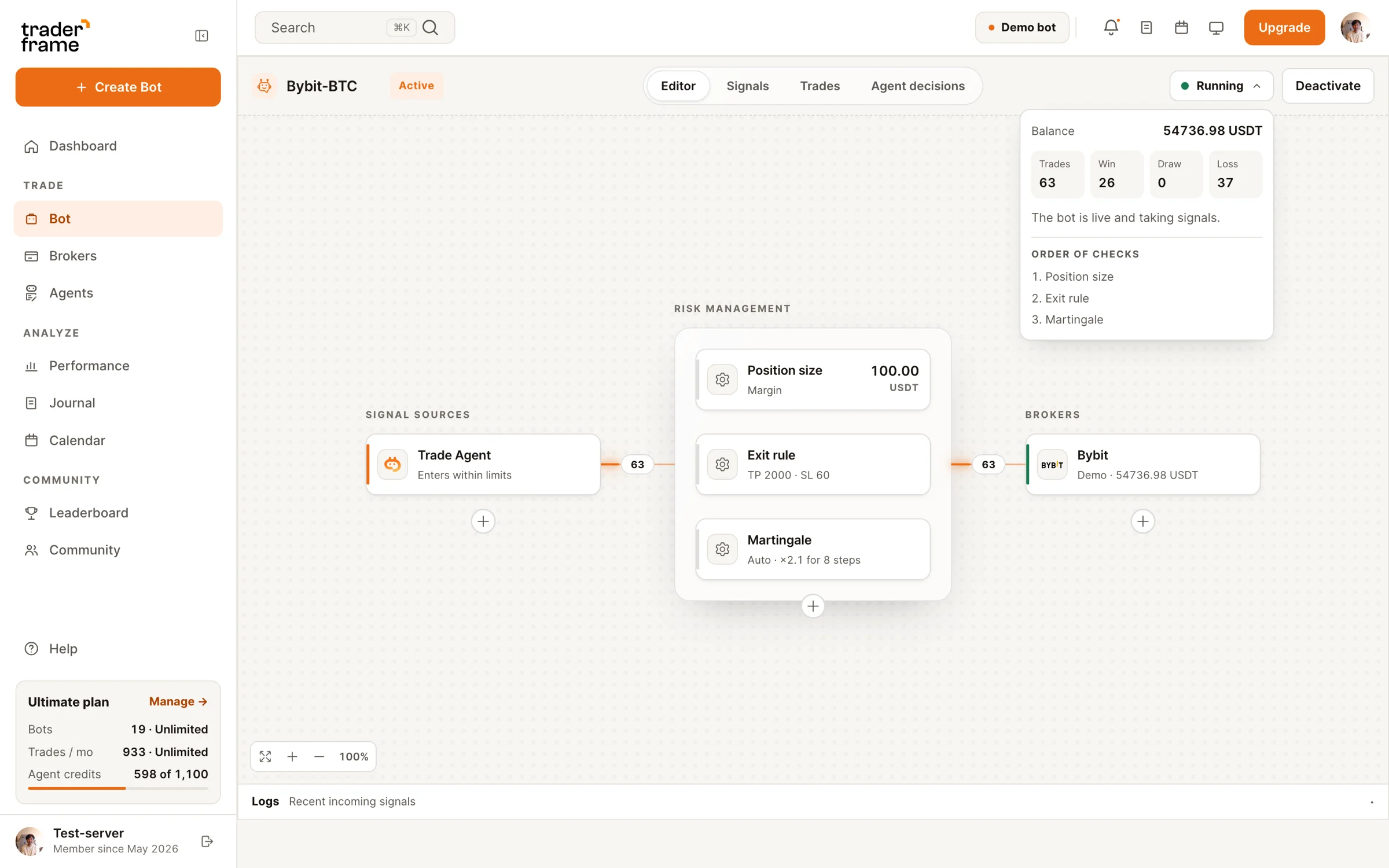






How the bot works
You build it on one screen, left to right. Nothing trades until you switch it on, and a demo account runs the exact same bot.
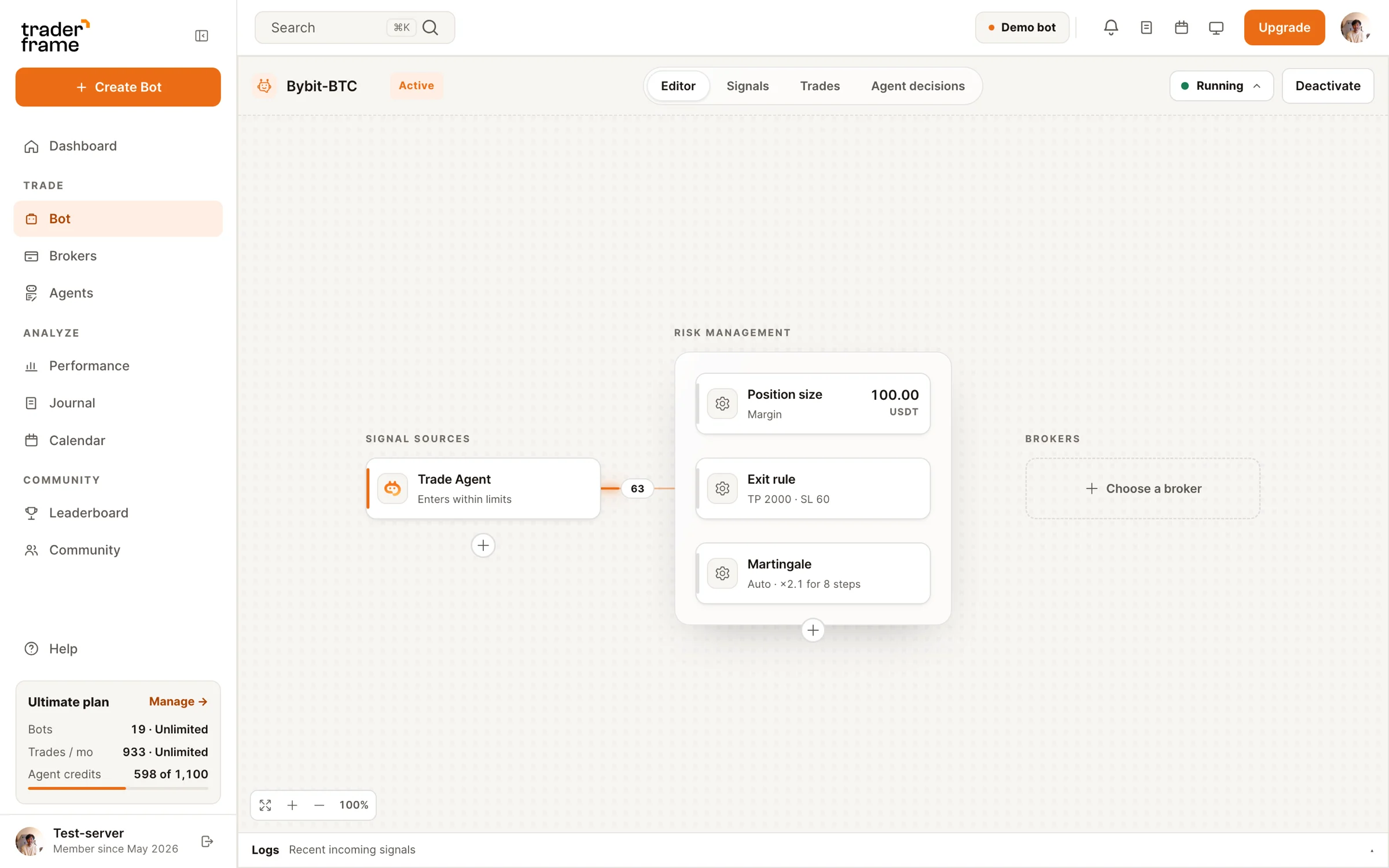
Step 01
Bybit, OKX, Bitget and KuCoin connect in one click. Binance takes an API key, and we show the IP address to allow on it. Hyperliquid takes your wallet address and an API wallet key.
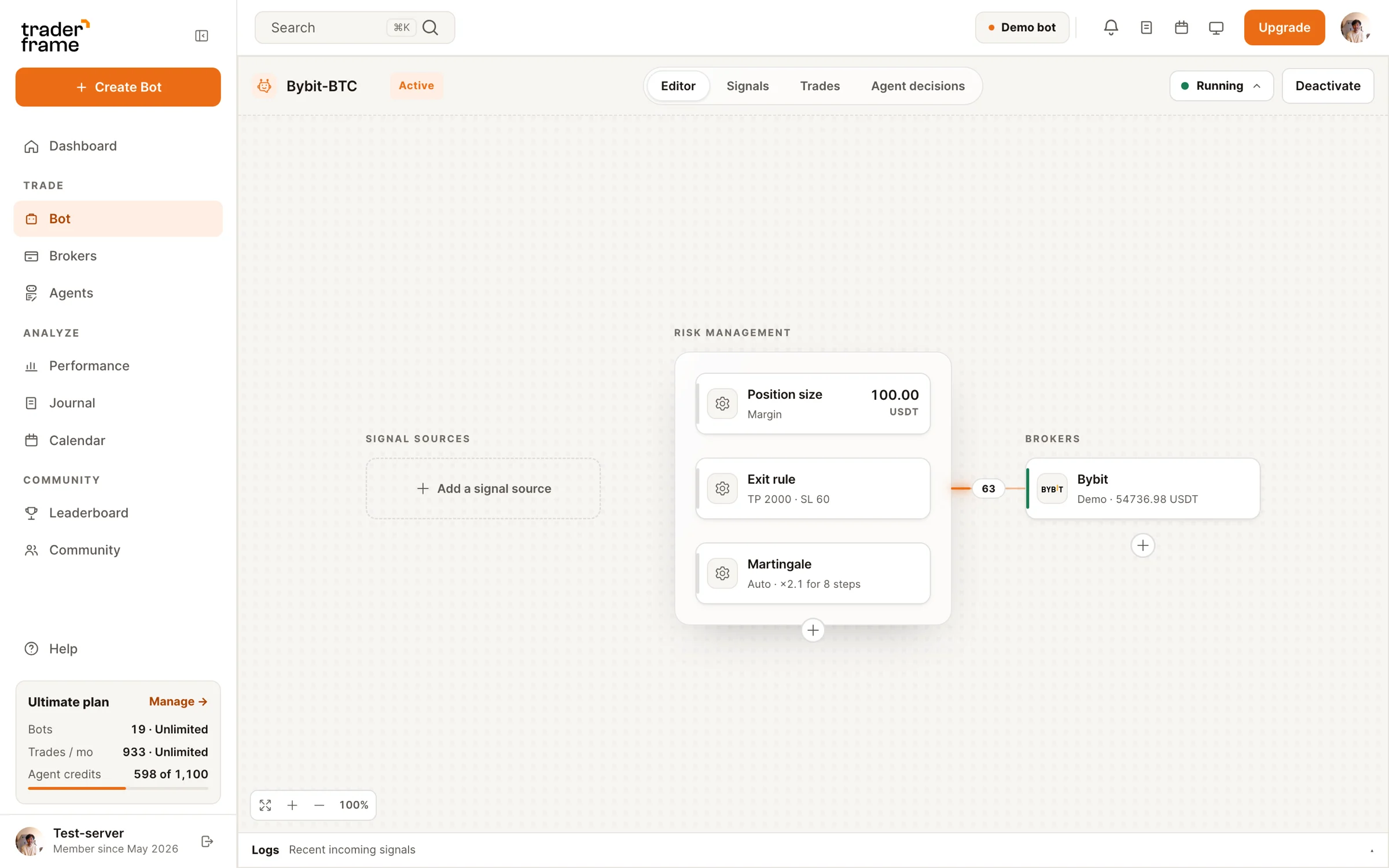
Step 02
TradingView alerts, a Telegram or Discord channel, a trader you copy, or Pip, the AI trading agent. One bot can listen to more than one source.
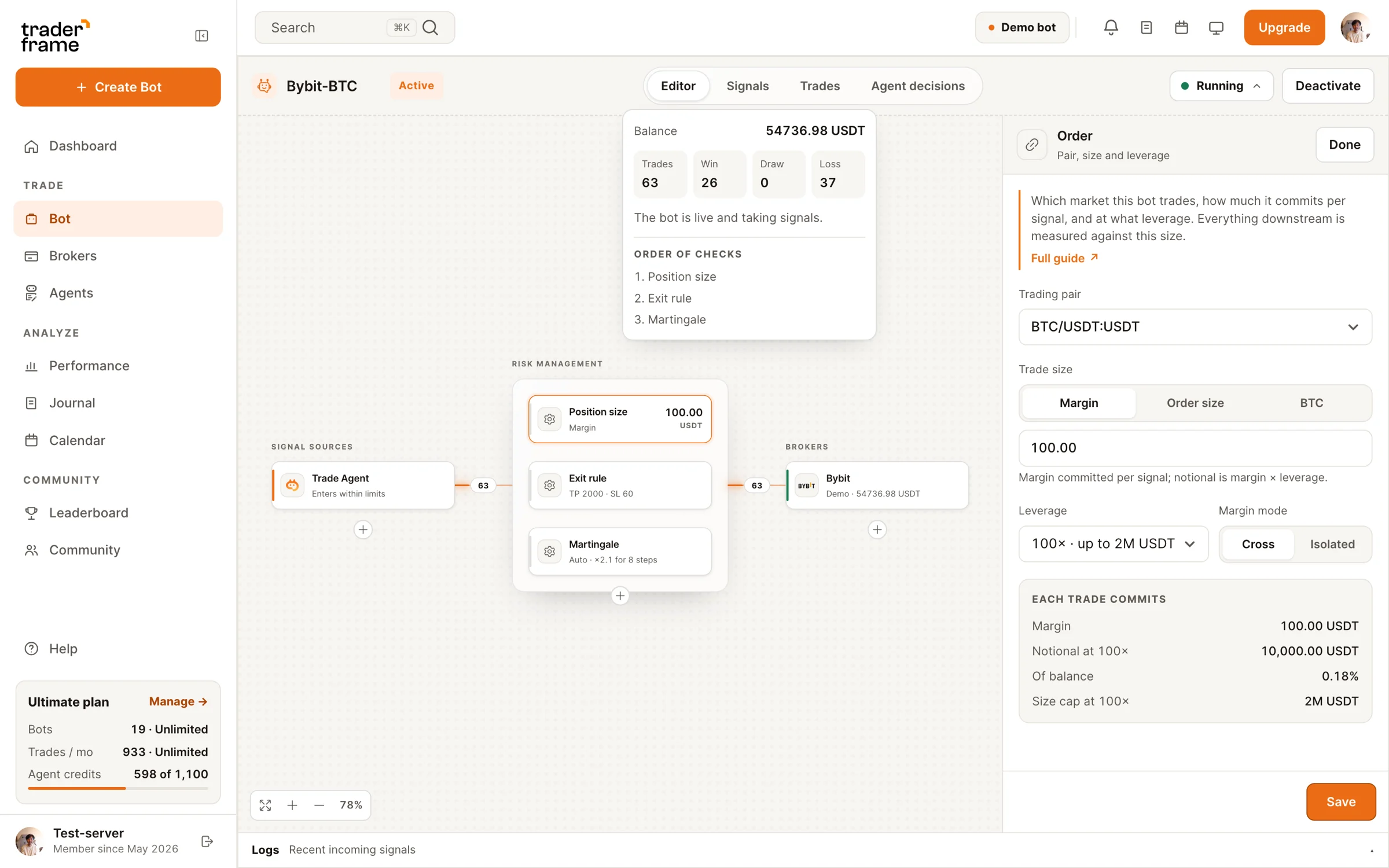
Step 03
Pick the perpetual, the margin each signal commits, the leverage and cross or isolated margin. Before you save, you see the notional, the share of your balance and the exchange's size cap.
Step 04
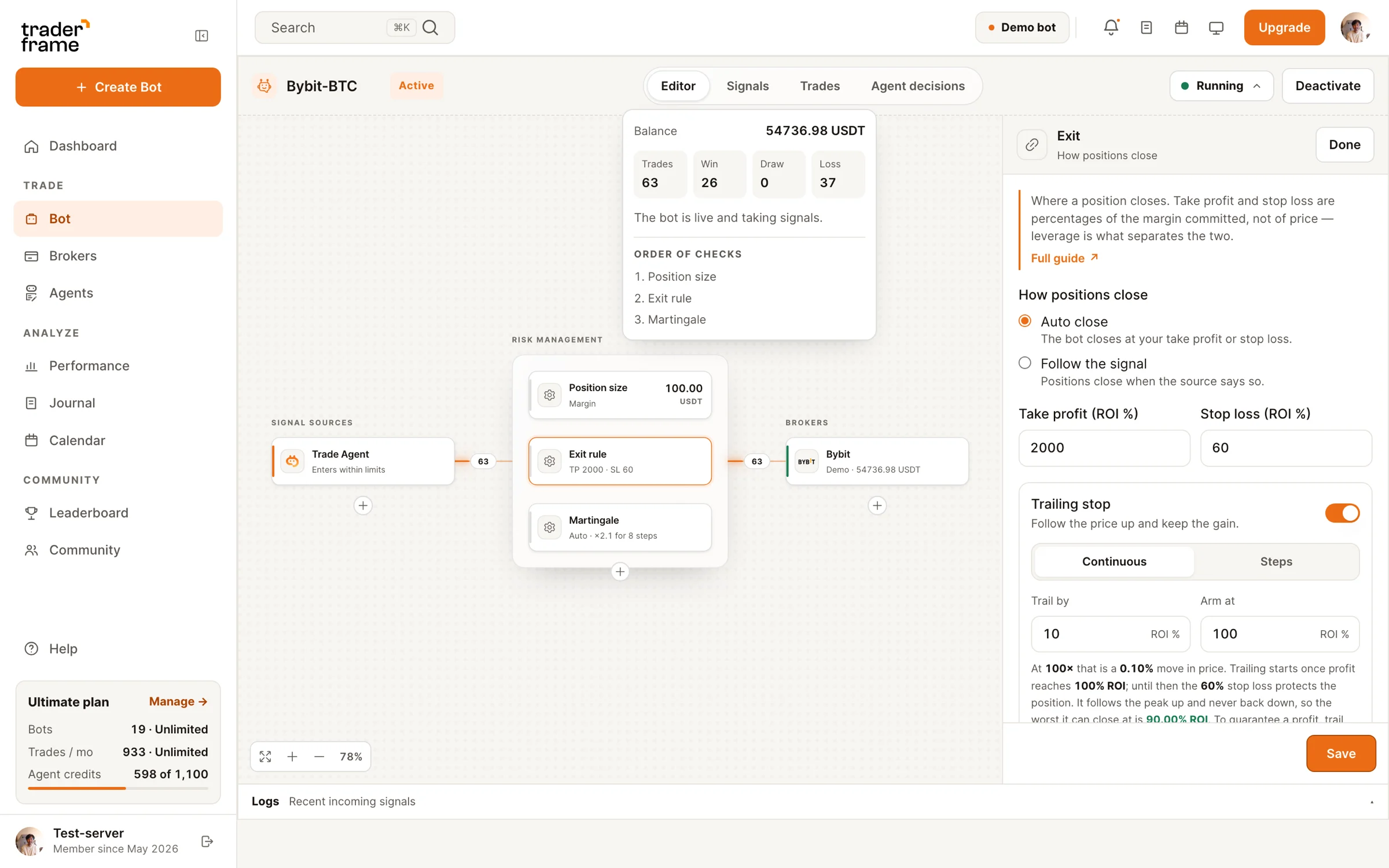
Take profit, stop loss and trailing are ROI on your margin, so leverage is already counted. They go to the exchange with every entry, and the bot shows you the prices before it trades.
Built for leverage
Take profit and stop loss are placed on the exchange right after the entry fills, so they still close the position if your laptop is off.
Continuous uses the exchange's own trailing order on Bybit, Binance, OKX and Bitget. Steps moves your stop up at set profit levels, on every exchange.
Choose per bot. Leverage is capped at what the exchange allows for that pair and size, and the panel says so before you save.
Size up after a loss or a win for a set number of steps. Take a breath caps how many losses in a row it chases before it waits for a fresh signal.
Entry and exit fees are in the exit preview and in every closed trade, so the profit you read is the profit you keep.
Practice on demo accounts at Bybit, OKX and Bitget, Binance testnet keys or the Hyperliquid testnet. Real and demo accounts sit side by side. KuCoin trades real funds only.
Exit preview
You set take profit and stop loss as ROI on your margin. The bot turns them into prices for a long and a short, adds the exchange's fees, and shows what you keep at either exit.
Exchanges
Your money stays in your exchange account. The bot places orders through the connection you approve, and you can disconnect it at any time.
FAQ
Software that opens and closes perpetual futures positions on your exchange account for you, following a signal source and the size, leverage and exit rules you set.
Bybit, Binance, OKX, Bitget and KuCoin USDT perpetuals, and Hyperliquid USDC perpetuals. Each bot trades one exchange account.
Yes, on every exchange except KuCoin. Connect a demo or testnet account and the bot trades it exactly as it would a real one, then point it at your real account when you are ready.
You set them as ROI on your margin. At 20× leverage a 1% price move is 20% ROI, so a 40% take profit closes 2% away from your entry.
Yes. Each bot has its own webhook address. Paste it into a TradingView alert and every alert becomes an order. TradingView automation.
No. Your money stays in your exchange account. The bot only places and closes orders through the connection you approved, and you can remove it at any time.
Watch it trade on demo, then point the same bot at your real exchange account. Your exits go out with every entry.





.svg)



.webp)