The Bridge is a small app that runs beside IB Gateway on your computer and carries your bots’ orders to Interactive Brokers. Your IBKR login and two-factor stay with you; the Bridge holds one token.
Before you start
Interactive Brokers takes no API key. The Bridge runs on the same computer as IB Gateway, talks to it on 127.0.0.1, and checks in with Trader Frame every 15 seconds.
Paper to start. Individual accounts only: linked and advisor accounts are not supported.
Or Trader Workstation. Logged in, with the API turned on as in step 2 of the futures guide.
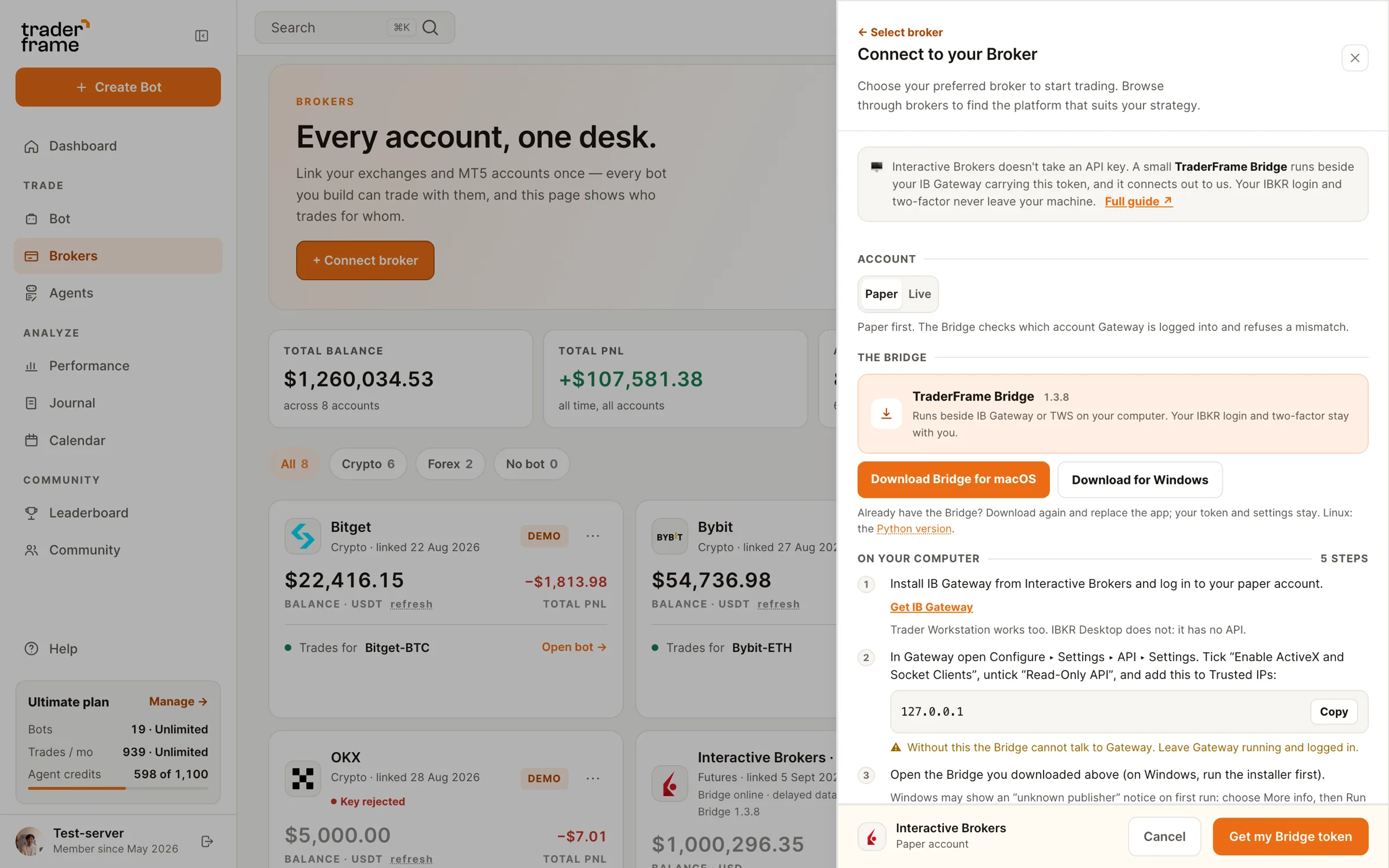
API settings in the futures guideFrom Trader Frame, when you add the Interactive Brokers account. Step 1 below shows where.
A Mac with Apple silicon, a 64-bit Windows PC, or Linux with Python 3. The same one that runs IB Gateway.


The Bridge places orders only for commands Trader Frame queued for your account, and reports every fill back. It never trades on its own.
Step by step
Do the steps in order. Each one ends with something you can see, so you know it worked before you move on.
The token stays the same until you disconnect the account. Brokers › ⋯ › View Bridge token shows it again. Treat it like a password.
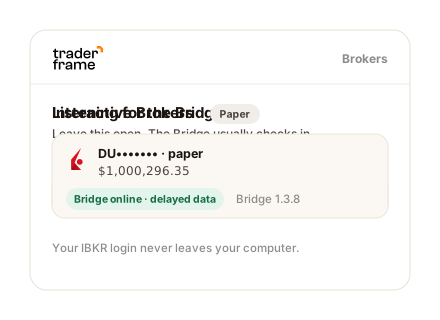
The Bridge remembers the token and reconnects every time it opens.
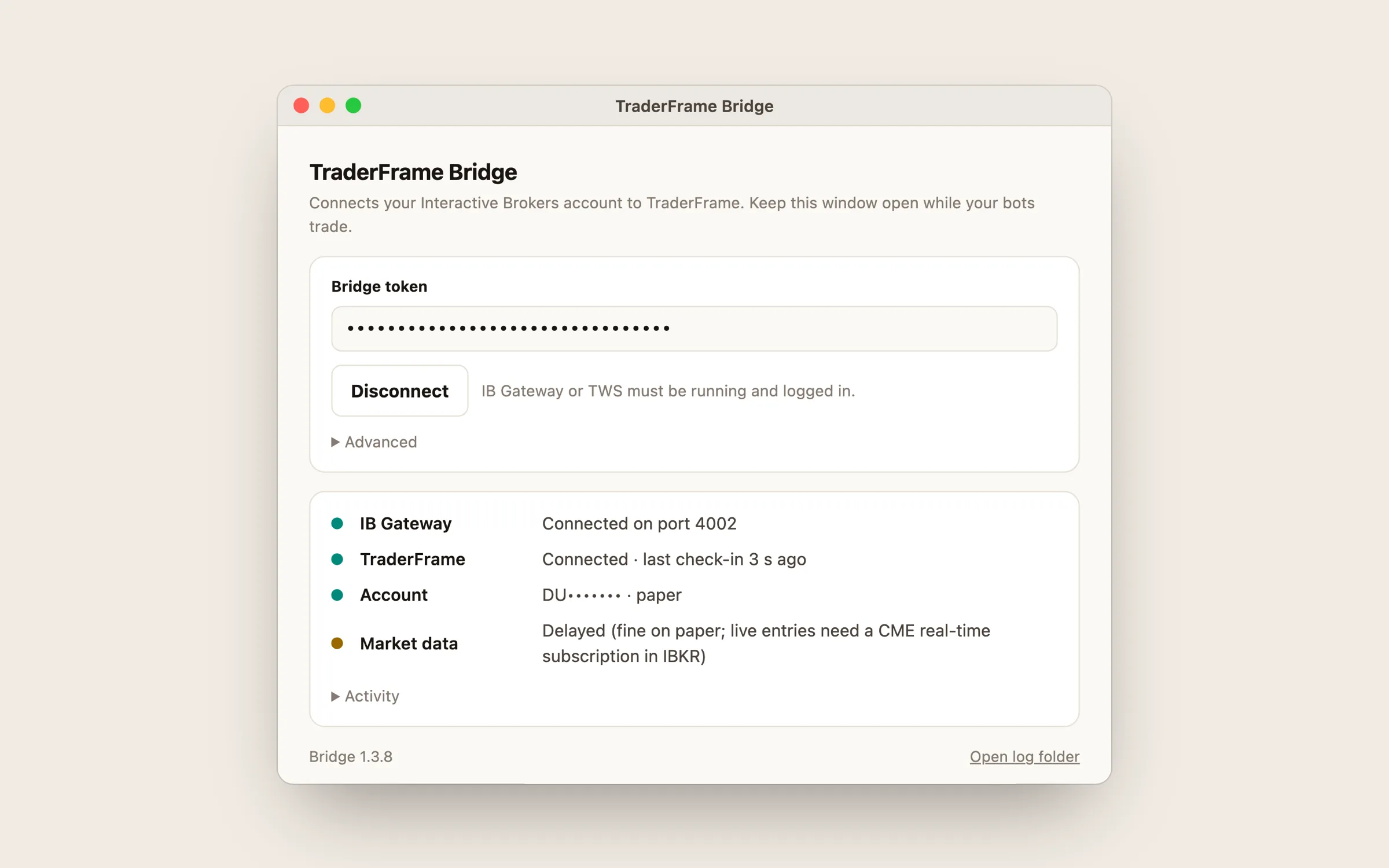
Still nothing after a minute? Look at the Bridge window: it says whether it reached IB Gateway and whether Trader Frame accepted the token.
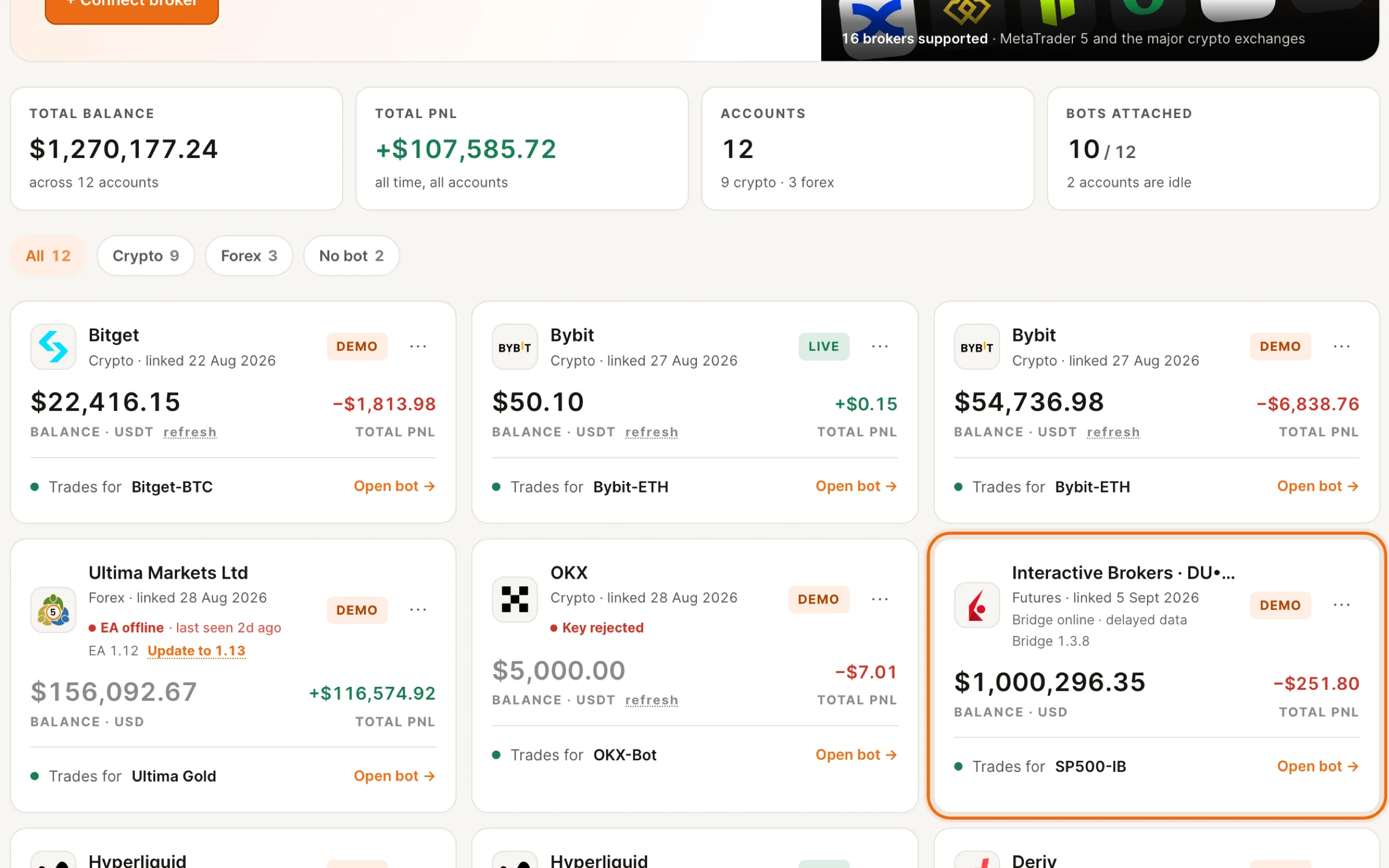
Reading the Bridge window
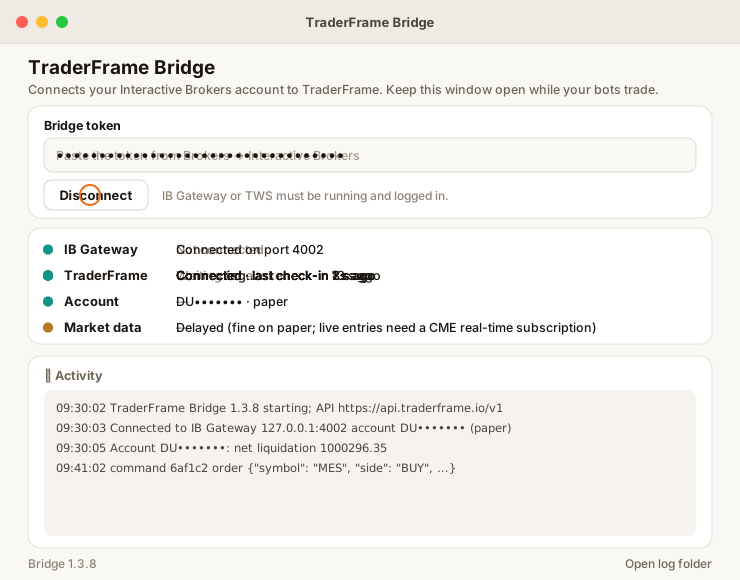
The window shows IB Gateway, Trader Frame, the account and market data, each with a coloured dot. Green on the first three means your bots can trade.
Keeping it running
IB Gateway asks you to log in again once a day, and to re-authenticate fully once a week. Until you do, the account reads Needs your login and your bots pause. Stops already at IBKR stay in place.
The Bridge works while its window is open and IB Gateway is logged in. Closing the window stops it; open it again and it reconnects with the token it remembered.
When a newer Bridge is out, the account card on Brokers shows an Update link. Mac: download again and replace the app. Windows: run the new installer over the old one. Python: replace the folder and start it again. Your token and settings stay.
Run one Bridge for each IBKR account, on one computer. A second app on the same Gateway needs its own client id; the Python version sets it in bridge.json.
Troubleshooting
The Bridge window and the account card on Brokers tell you where the connection stops.
FAQ
No. You log in to IB Gateway yourself, with your two-factor. The Bridge holds only the Trader Frame token.
No. It places orders only for commands Trader Frame queued for your account, and reports every fill and close back, with the commission IBKR charged.
Account values, positions and quotes every 15 seconds, plus one-minute bars for the contracts your bots trade, which the Trade Agent reads.
Yes, on any Windows or Linux machine that runs IB Gateway and stays on. The Bridge and Gateway must be on the same machine.
The Mac app is for Apple silicon. On an Intel Mac, use the Python version.
No. The same Bridge runs futures and options bots; options need version 1.3.8 or newer. The IBKR options guide picks up from there.
With the account online, a futures or options bot is a few panels away. Both guides start where this one ends.





.svg)



.webp)