- BotsSoonYour size, exits and limits, on your account
- Pip, AI trade agentSoonSuggests or enters, inside your rules
- AgentsSoonStart from one, share yours, remix theirs
- ScriptsSoonPaste a Pine-compatible script, free


 Interactive Brokers
Your Interactive Brokers account, traded by your bot’s rules.
Connect Interactive Brokers, step by step
Three steps in TraderFrame, two in IB Gateway, then the Bridge joins them up. About fifteen minutes, done once per account.
Connect +Example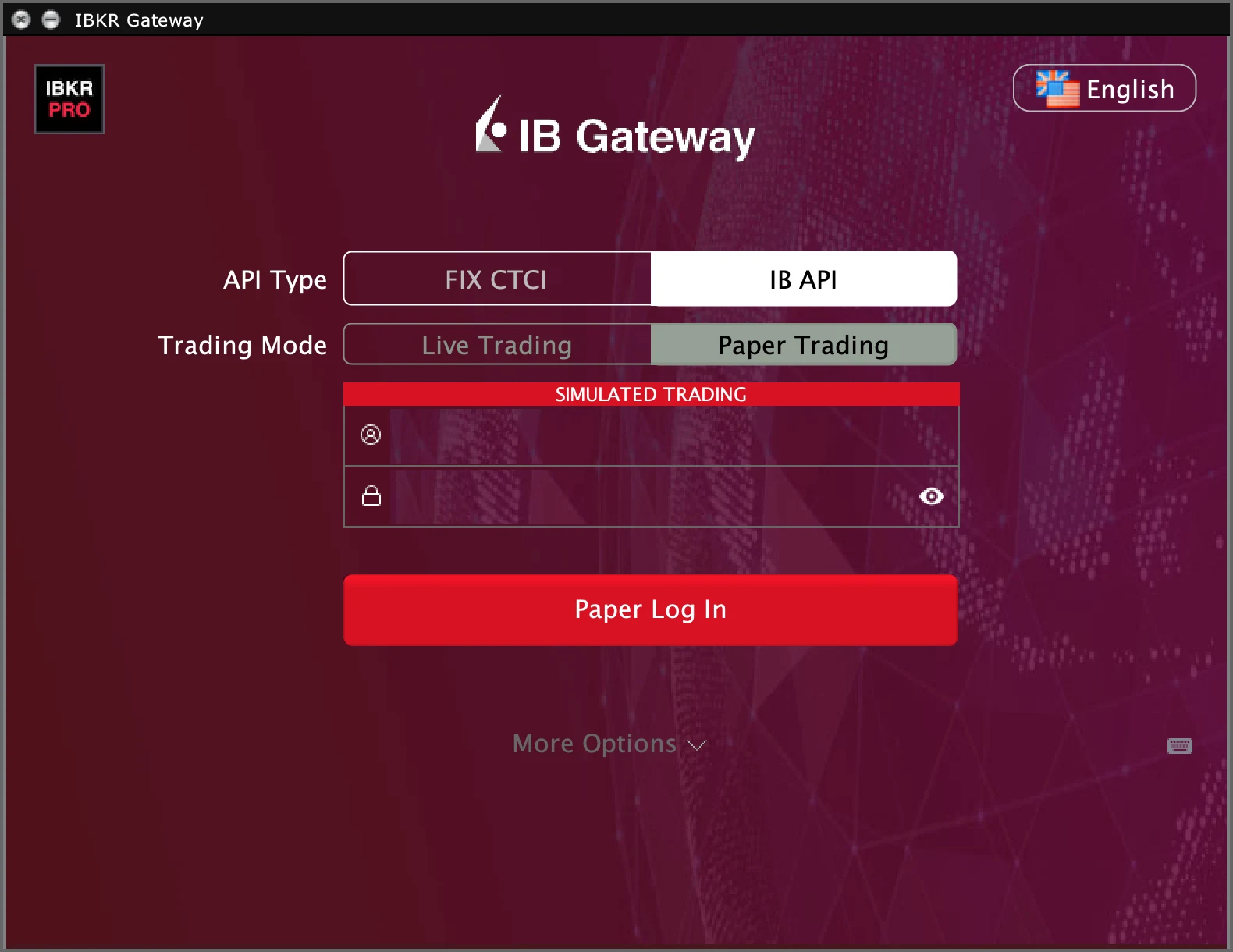
Step 5 of 8 · in IB Gateway
Let the Bridge place orders
In Gateway open ConfigureSettings, then APISettings. Untick Read-Only API, check Socket port reads 4002 (4001 when you log in live), and press OK. Using TWS instead? Also tick Enable ActiveX and Socket Clients.
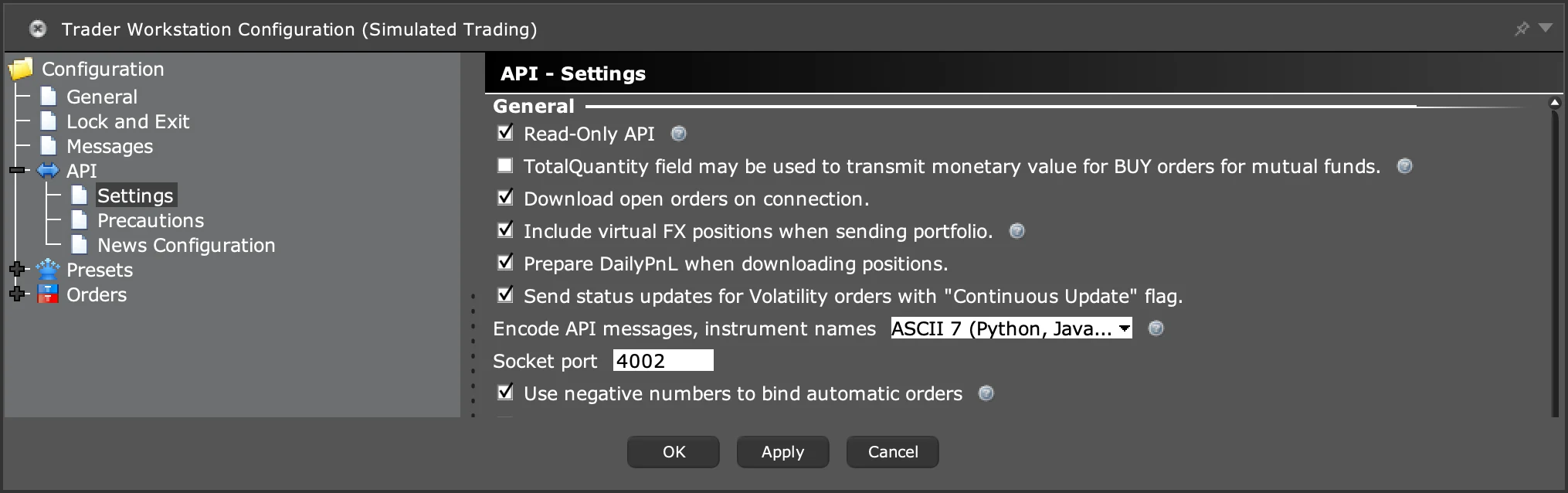
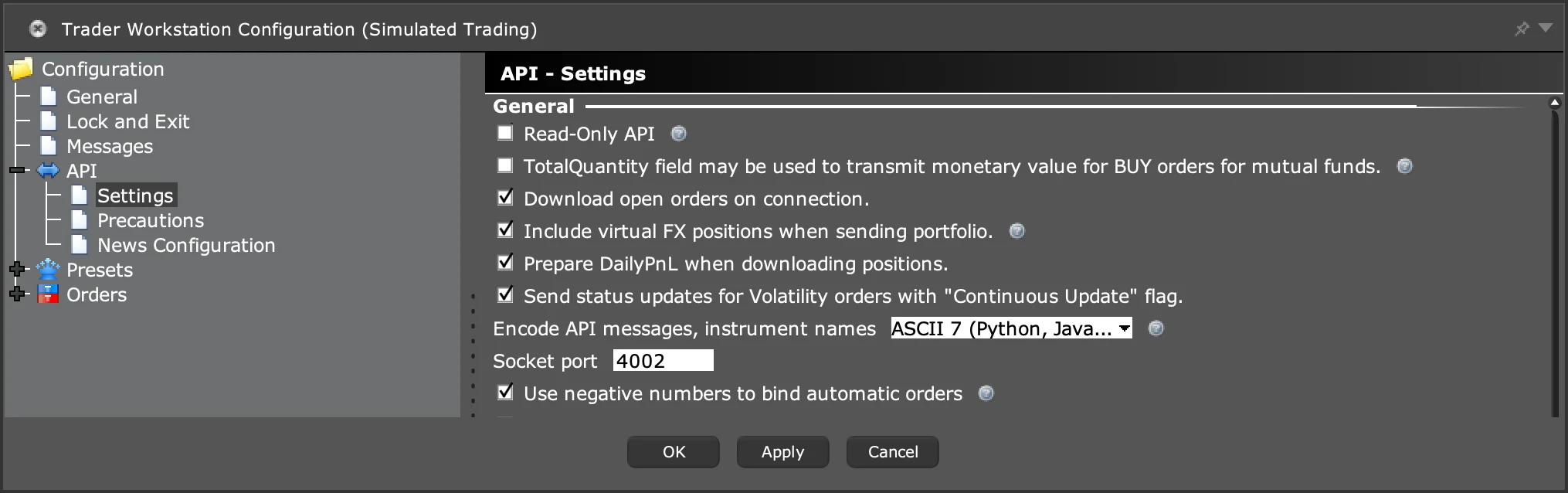
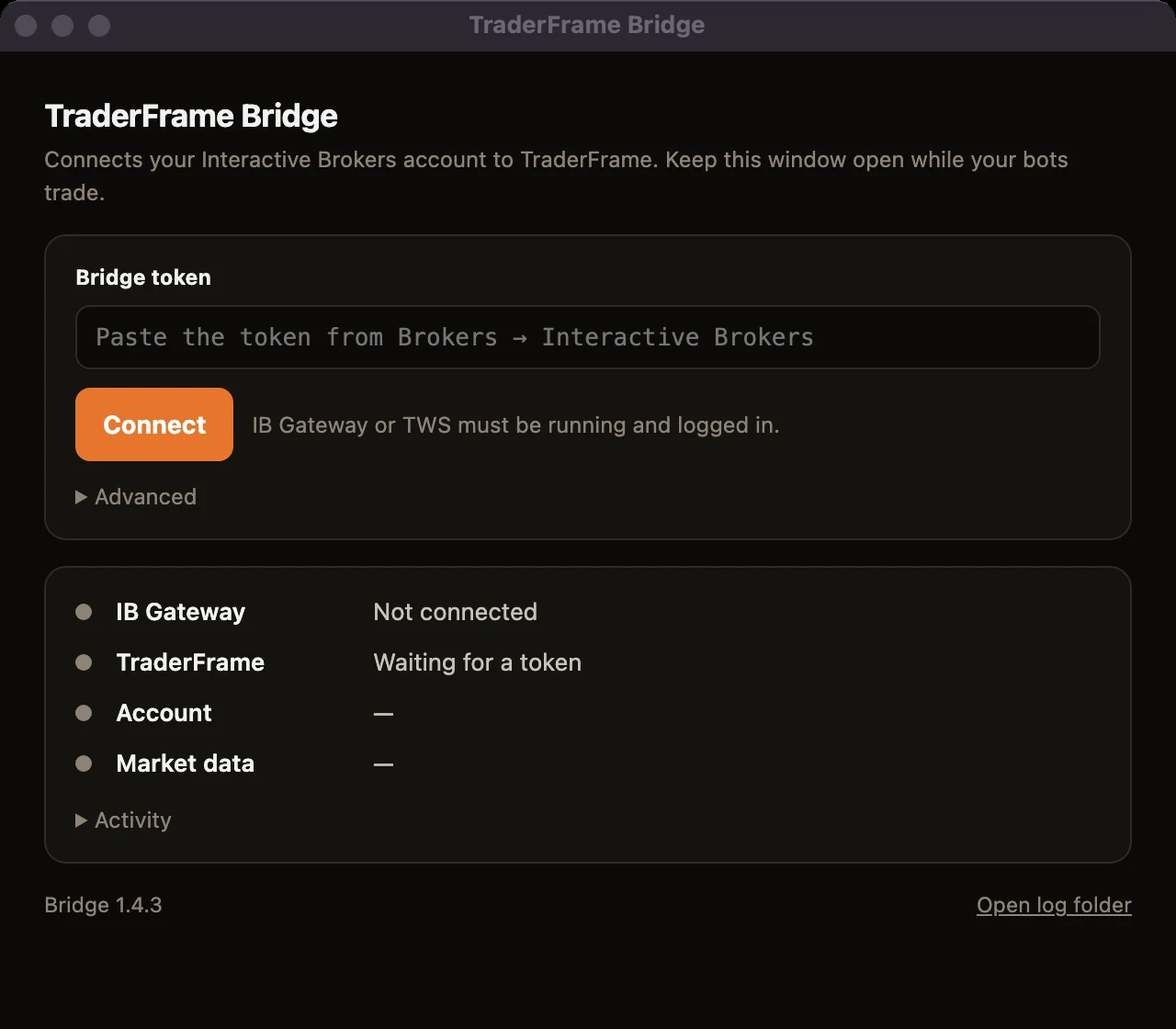
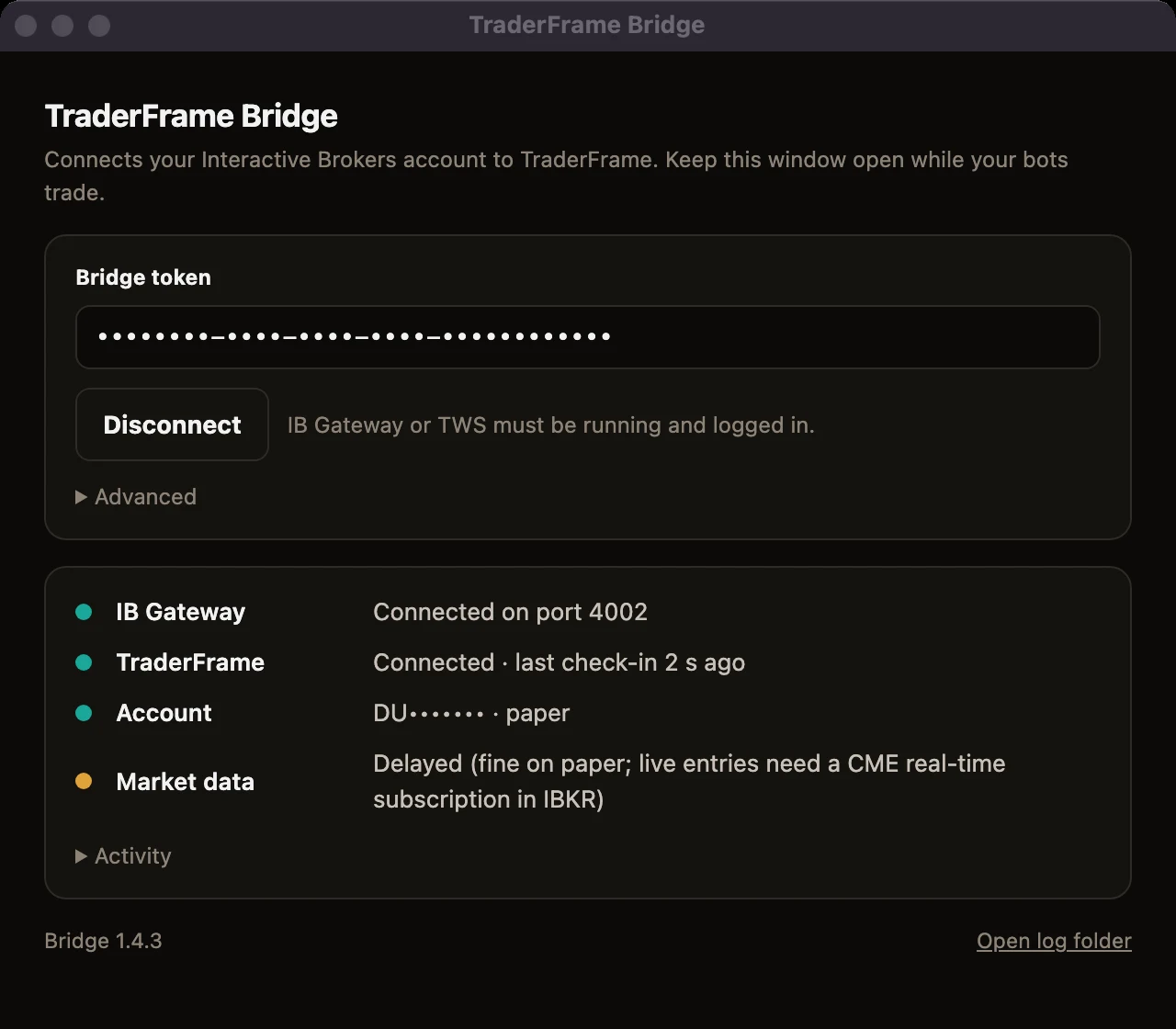
Step 5 is the one people skip: with Read-Only API ticked, the Bridge connects but every order is refused. Every Gateway and Bridge window here is a real capture, with the login, token and account number masked.
Demo and live, kept apart
Each is its own connection with its own records, so a practice trade never lands in your live history.
Accounts +If something gets in the way
Two things about Interactive Brokers that catch people out, and the fix for each.
Fixes +Read-Only API is still ticked in Gateway. Open Configure, Settings, API, Settings, untick Read-Only API and press OK.
IB Gateway asks you to log in again each day. While it is logged out TraderFrame says so and your bots pause; stops already at IBKR stay in place. Log in and the Bridge reconnects.
About Interactive Brokers
No. You log in to IB Gateway on your own computer, two-factor included. The Bridge connects out to TraderFrame with your Bridge token.
Yes. IB Gateway and the Bridge run on your computer, so the bot can only trade while both are open and Gateway is logged in.
Index futures in whole contracts (MES, MNQ, ES, NQ, YM and RTY, front month), and calls and puts on US stocks.
IB Gateway or Trader Workstation. IBKR Desktop won’t work: it has no API.
Not on paper: delayed data is fine there. Live futures entries need a CME real-time data subscription in your IBKR account.
Your IBKR login stays home. Your rules do the trading.
Connect your paper account, add a signal, and watch the bot follow your contracts, stop and session before real money moves.
- Token issuedpaper account2:00
- Bridge checked inIB Gateway on port 400212:00
- Paper connectedbalance shows, ready for a bot12:20