Trader Frame connects supported MT4 and MT5 workflows with broker execution, bot rules, risk settings, journaling, and performance analytics — so your MetaTrader signals can move from strategy logic to structured automation.

Most MetaTrader tools stop at the signal or connector. Trader Frame goes further by connecting MT4/MT5 workflows with supported brokers, bot settings, trading journals, dashboards, copy trading, leaderboards, notifications, and community. That makes MetaTrader Connect part of a complete trading automation platform — not just a technical bridge.

.avif)
.avif)
.webp)










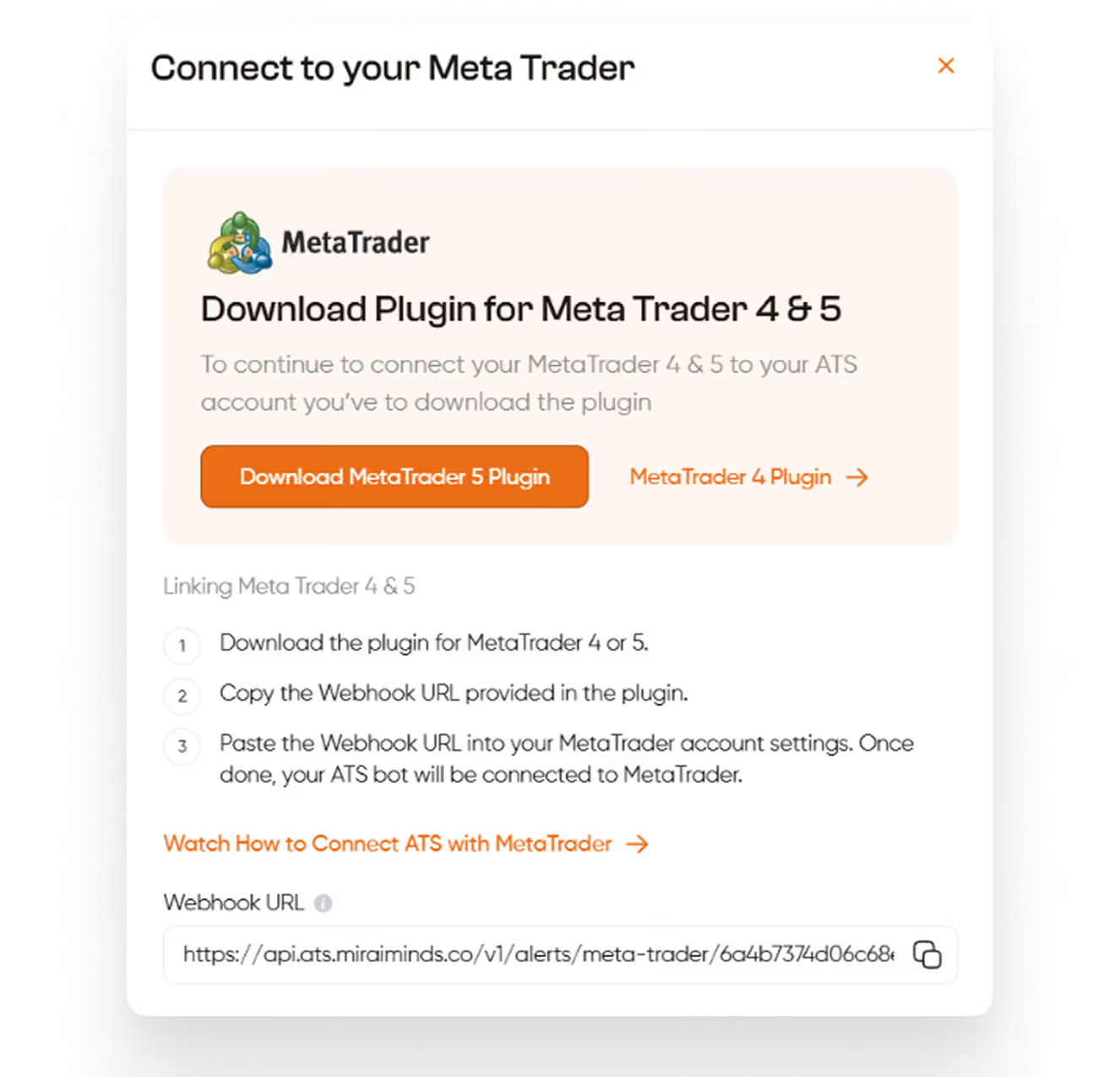
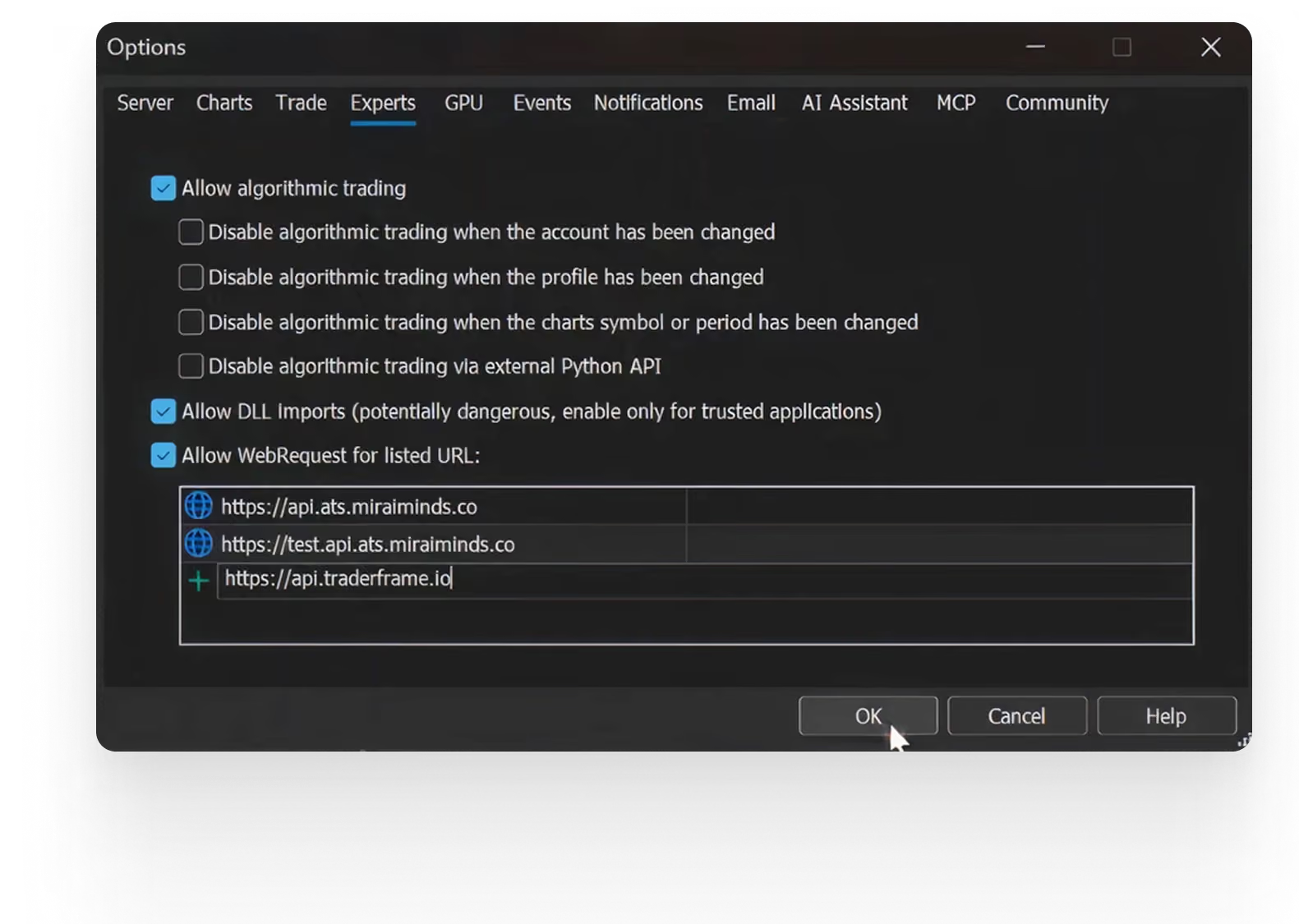
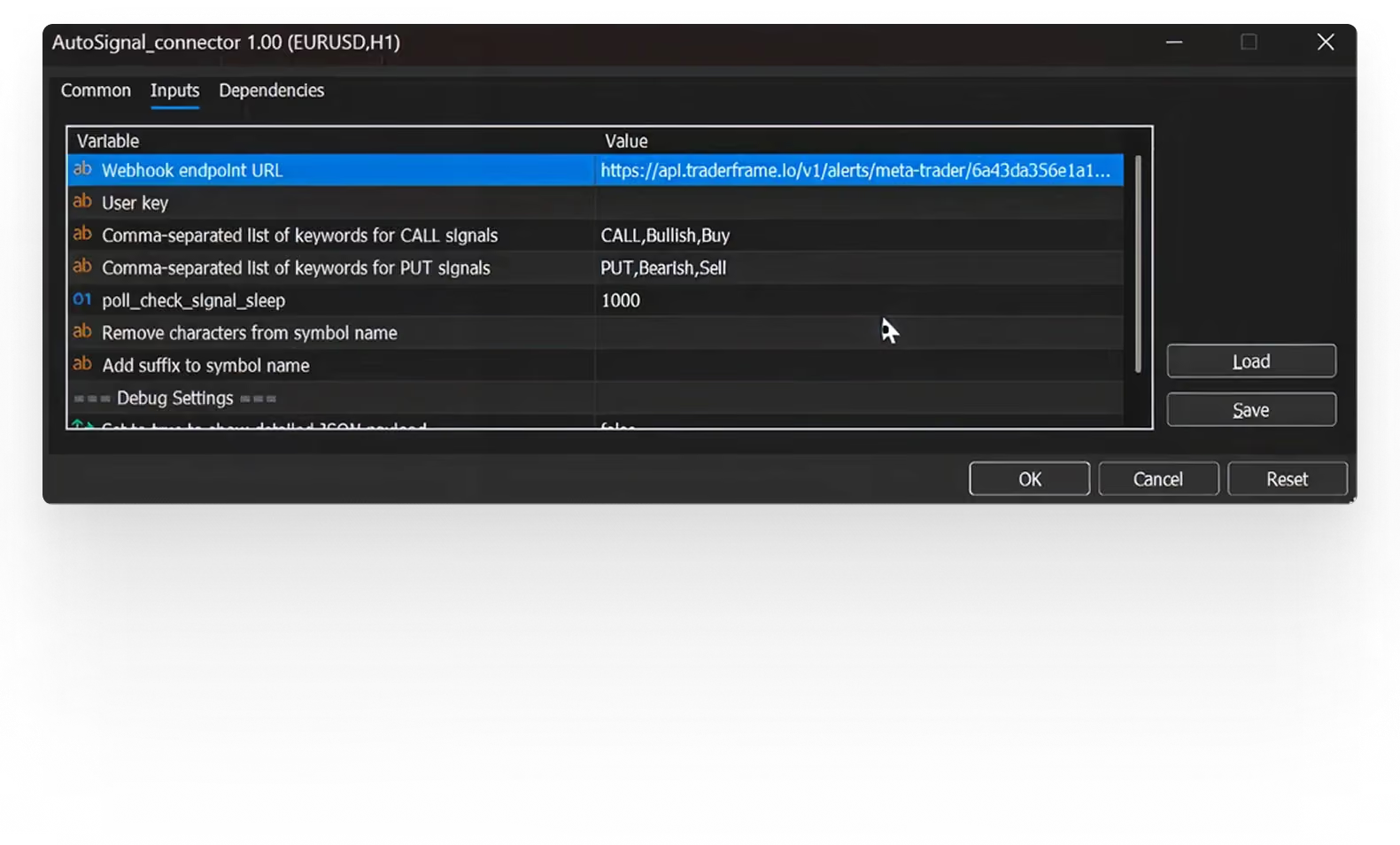
MetaTrader Connect helps users connect supported MT4 and MT5 workflows with Trader Frame so signals can be connected to bot settings, broker execution, journaling, and performance tracking.
Yes. Trader Frame is designed to support MetaTrader 4 and MetaTrader 5 workflows where compatible with the user’s broker setup, connector version, and platform configuration.
Yes. Users need to install the appropriate Trader Frame connector for their MetaTrader version so MetaTrader can communicate with the platform.
Trader Frame can support MetaTrader-based workflows where the connector, broker setup, and trading logic are compatible. Users should test their setup before going live.
Trader Frame supports selected forex brokers, crypto exchanges, and stock broker workflows. Availability may vary by region, account type, platform permissions, and integration compatibility.
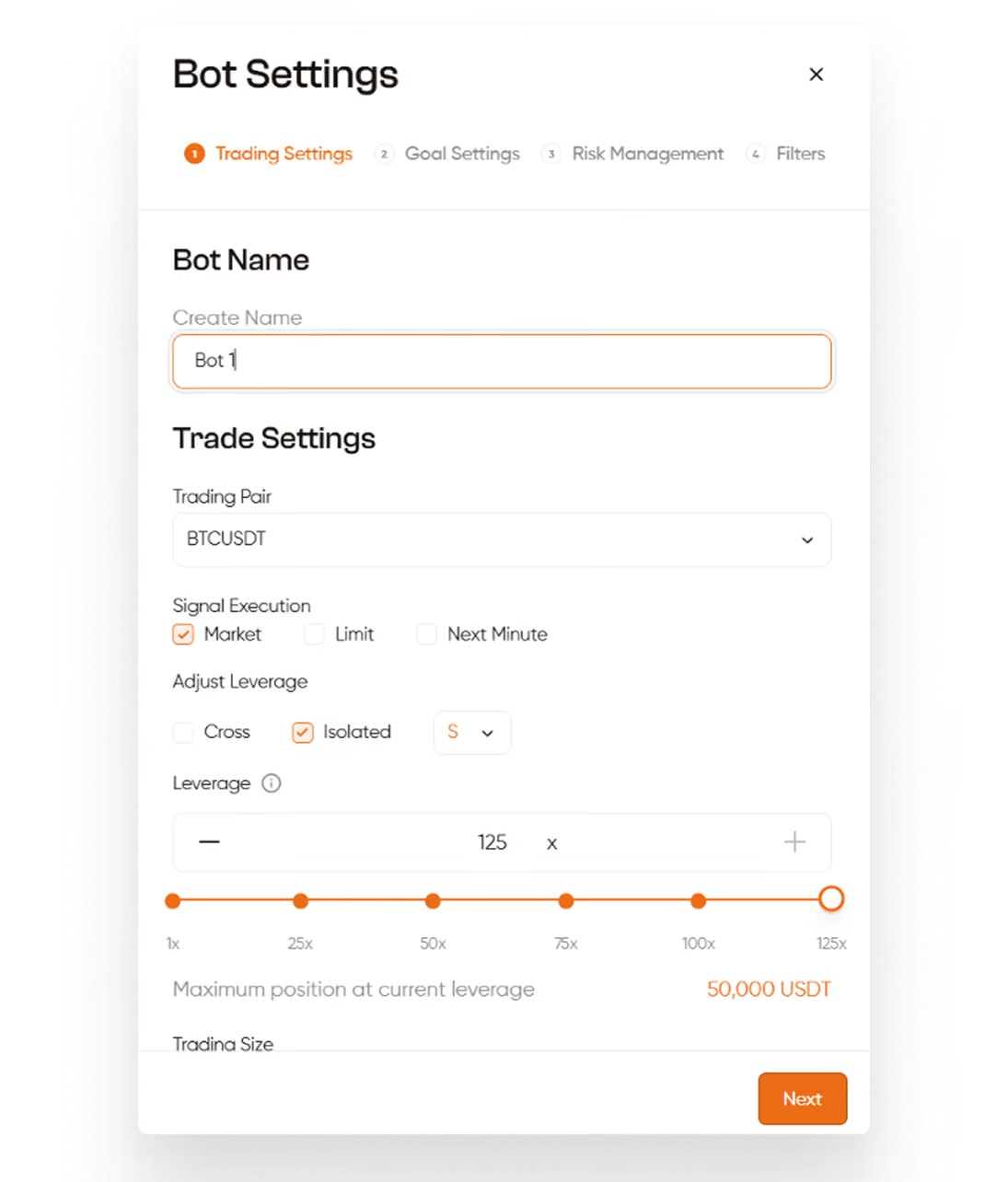
Yes. Users can configure trade amount, execution rules, filters, target PnL, martingale settings where supported, and other risk controls before activating automation.
Trader Frame is designed to connect executed trades with dashboard tracking and journal views so users can review trade history and performance after execution.
No. Trader Frame automates workflows and tracks performance, but it does not guarantee profits, prevent losses, or provide financial advice.
Yes. Users should test their MetaTrader connector, bot settings, and broker connection before activating live automation.
Our platforms support 5 of the most reputable Binary Options brokers:
- Quotex
- Deriv
- Pocket Option
- IQ Option
- Olymptrade
Since there are infinite ways to trade automatically with Trader Frame, the robot win rate/effectiveness is variable for each user. Your results will depend on the technical indicators you set up on TradingView or MetaTrader or the signal providers you subscribe to, your general configurations, risk-management parameters, and overall strategy.
As well as the robot win rate/effectiveness, the generated income will be totally variable in each case and up to each user. Our platform allows infinite options regarding the technical indicators used, CopyTrading providers, general configurations, risk-management parameters, and overall strategy.
No. There are absolutely no risks of your account being blocked or banned by using the Trader Frame platform. Development teams and legal departments of all our supported brokers have examined our platform and officially approved it.
There are varieties of TradingView's strategies available on their platform, you will need to apply and test them and figure it out in your demo account by yourself, once you are satisfied with the results then can try on Real Account. We can't really give a recommendation on this.
You can connect any indicator that offer alert signals either from TradingView or MetaTrader platform. Just make sure that each indicators offer alert options for Buy and Sell signals.
We accept credit/debit cards, Bitcoin, other major cryptocurrencies, Binance and Volet.
If you don't see your Trader Frame license updated, don't worry — sometimes the license is not automatically updated and our staff has to update it manually. If you bought a license after working hours in Europe, it will be updated the next day. You can also message us and our available staff will check for you.





.svg)

.svg)

.webp)